
Virtual event registration is the first record of your event. It decides who gets in, what they paid, which sessions they chose and, for training and CE providers, who can later claim credit. When that record lives in one place, check-in, reminders and reporting are easy. When it is split across forms, spreadsheets and payment links, every later task takes longer.
rsvpBOOK has supported event organizers since 2004 and builds registration, payments, sessions, surveys and reporting around one attendee record. This guide walks through the setup in the order a busy planner needs it, with the points where registrations most often go wrong.
TL;DR
- Build one branded registration page that collects only what you will use: contact details, registrant type, session choices and, for CE events, credentials.
- Set fees, discounts, opening and closing dates and a go/no-go date before you publish, and send an automatic confirmation after payment.
- For continuing education, collect full name, credentials and email at registration, and plan how attendance will be verified during the sessions.
- Choose registration software by testing the full attendee path, from sign-up to confirmation to reporting.
- rsvpBOOK pricing is per registration, with discounted rates for nonprofits and government.
Table of Contents
- What virtual event registration has to do
- Step 1: Set goals and dates before you build
- Step 2: Build the registration page
- Step 3: Set fees, discounts and confirmations
- Step 4: Add sessions and workshops
- Continuing education registration
- Choosing registration software for a virtual event
- Keep attendee information secure and accessible
- Use registration data before and after the event
- Trade shows and career fairs with a virtual side
- How rsvpBOOK fits
- Our perspective
- FAQ
- Sources
What virtual event registration has to do
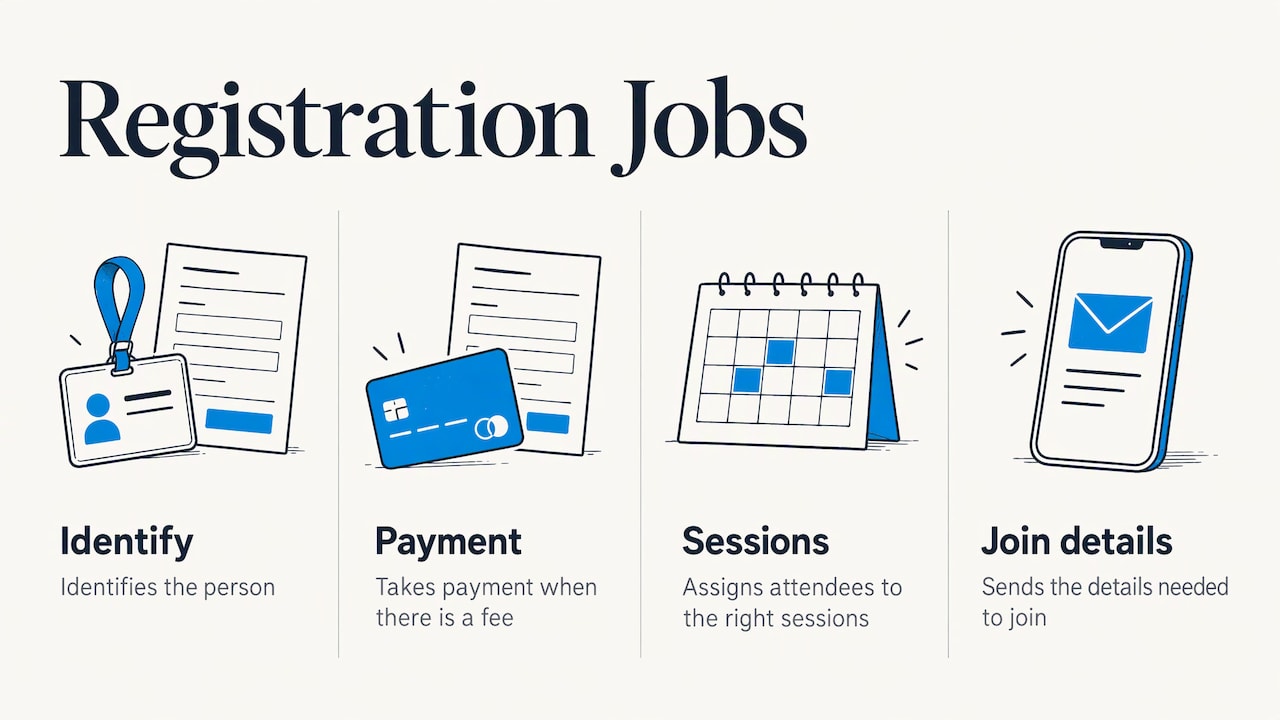
A registration form for an online event has four jobs. It identifies the person, takes payment when there is a fee, assigns them to the right sessions, and sends the details they need to join.
The International Hearing Society’s virtual event toolkit notes that a branded registration page can set the tone of an event, and that built-in registration can automate email notifications and reduce list management. Both points matter for small teams. The page is the first thing attendees see, and every manual list you avoid is one less place for errors.
A virtual event also has no front desk to fix problems. If a registrant picks the wrong session or never gets a confirmation, nobody catches it at the door. The form and the emails have to be right the first time.
Step 1: Set goals and dates before you build
Start with numbers. The virtual events guide published by RID recommends setting registration and attendance goals next to goals for learning, networking and satisfaction. A target for registrations tells you when to push promotion. A target for attendance tells you how many reminders to send.
The same guide advises fixing the registration opening date, closing date, early-bird dates and a cancellation go/no-go date. Put these on a one-page plan before you touch the form:
- Registration opens and closes
- Early-bird deadline, if you offer one
- Go/no-go date, the day you decide whether low registration means postponing or canceling
- Reminder schedule for the week before the event
If you are building a longer plan with several vendors and deadlines, project management tools for event planners can help you track tasks, testing dates and approvals across the team.
Step 2: Build the registration page
Your registration site should look like your organization and make the next action obvious. With rsvpBOOK, organizers build branded registration sites with custom questions, registrant types, group and table registration, discounts, sessions and workshops, and surveys. The registration form builder lets you shape the path each type of registrant follows, so a member, a guest and a sponsor do not all see the same questions.
If you would rather not start from a blank page, rsvpBOOK includes an AI-assisted builder that turns an event design document into a working setup. Teams that want help can add hands-on implementation support, so a complex event does not stall on configuration.
What the form should collect
Keep the form short, but do not skip the fields you will need later. A practical core set:
- Full name and email, which every event needs.
- Organization and job title, useful for reporting and for sponsors.
- Registrant type, such as member, nonmember, student or speaker, which drives pricing.
- Session or workshop choices, if attendees pick their own tracks.
- Accessibility or accommodation needs, so you can respond before the event rather than during it.
- Credentials and license information, only if the event offers CE credit.
Every extra field lowers completion a little, so ask whether you will use the answer in a report, a reminder or a credit record. If not, leave it out.
Step 3: Set fees, discounts and confirmations
When money is involved, clarity prevents most support emails. Stripe’s guide to registration forms with payment advises showing tiered pricing, early-bird discounts, group rates and coupon discounts clearly before the attendee submits. It also recommends using a reputable payment processor instead of handling raw card data yourself, and sending an automatic payment confirmation.
Translate that into settings you can check:
- Each registrant type shows one price, with the early-bird end date next to it.
- Group or table registration is available if organizations send several people.
- Discount codes are tested with a real registration before launch.
- The confirmation email states what was paid, what was registered for and how to join.
The IHS toolkit describes a manual route for webinar fees: a payment link plus a CSV import of paid registrants, after which confirmations go out. It works, but the list has to be matched by hand, and a mismatch means someone pays and does not get in. Handling event payments inside the same system as registration keeps payment status attached to the attendee record.
Step 4: Add sessions and workshops
Most virtual events are not one session. Attendees choose among tracks, workshops or timed classes, and some have limited seats. The registration process should let them choose at sign-up, so your session lists are built from the same record as your payment list.
rsvpBOOK’s sessions and workshops tools cover sessions and workshops with CE credits and workshop assignments. For training managers, that means one registration can carry the attendee’s fee, their workshop picks and the credit they are eligible for.
Before you publish, walk through each path as an attendee would:
- Register as each registrant type and confirm the price is right.
- Pick overlapping sessions and see what the form does.
- Fill a capped session and check what the next person sees.
- Read the confirmation email on a phone.
Continuing education registration
CE registration needs more care because the registration record may later support a credit claim. The Illinois State Medical Society’s CME compliance presentation says registration should collect full name, credentials and email even when a participant does not plan to claim credit. That supports post-activity reporting and follow-up.
The same presentation says virtual attendance records can replace sign-in sheets and, when participants log in individually, should capture start time, end time and duration. Accrediting bodies set their own rules, so check your accreditor’s requirements before you design the process.
How organizations verify virtual attendance
Published examples show the range:
- The National Association of Insurance Commissioners says virtual attendance for its qualifying continuing-education sessions is tracked through responses to polling in Webex and Slido. The check is built into the session itself.
- The Maryland Association of CPAs says its webcast system tracks attendance and automatically awards a CPE certificate once participants meet a 70% participation check-in requirement.
- The Indiana Health Care Association says online training attendance is monitored minute by minute to meet state licensing requirements for its covered programs. For programs longer than half a day under NAB/NCERS policy, it states that monitoring must include the beginning, the end and at least one more point.
The common thread is that registration identifies the person and the session verifies they were present. If your sessions are delivered by a separate webinar tool, make sure the name and email on the registration match what attendees use to log in, so the two records can be reconciled. Our guide to tracking event attendance and CE records covers methods and record keeping in more detail.
Choosing registration software for a virtual event
The American College of Surgeons offers useful advice in its guide to virtualizing a CME activity. It suggests vetting vendors against instructional needs and writing into the request for proposals the requirements for registration-system integration, content collection, disclosures, credit claiming and evaluation. It also recommends involving marketing, IT and education staff in the choice, and setting deadlines for testing, registration and content posting.
Turn that into a short checklist for any registration platform:
- Can you build different registrant types and prices without custom work?
- Does payment status stay attached to each registrant?
- Can sessions, workshops and CE credits be assigned in the same registration?
- Can you send confirmations and reminders automatically, including by text?
- Can you pull a report by registrant type, session and payment status?
- Who helps if setup gets complicated?
Our seven tips for finding your fit in online registration software go deeper on the same questions.
Keep attendee information secure and accessible
A simple form is easier to complete and easier to protect. Stripe’s guidance ties the two together: keep the form simple, and leave sensitive card handling to a reputable payment processor rather than collecting card details yourself. For you, that means not asking for payment details by email or in free-text form fields.
On accessibility, ask about accommodation needs at registration, and give attendees a contact for questions about joining. Then act on the answers early, before the event starts.
Use registration data before and after the event
Registration is the best source of data you will have. Use it in three places:
- Before the event: Segment reminders by registrant type or session. rsvpBOOK includes SMS reminders and automated alerts so important messages are not left to chance.
- During the event: For hybrid or in-person parts of a program, rsvpBOOK offers QR check-in that works on any smartphone, and a mobile attendee app with personalized agendas and messaging.
- After the event: Compare registrations to attendance, review survey responses and report by session. Custom reports put these numbers together without rebuilding a spreadsheet.
One rsvpBOOK customer moved 2,600+ attendees through check-in with QR scanning, which shows how far a well-prepared registration list can carry an event day.
If badge printing or self check-in kiosks are part of your plan for in-person sessions, note that badge printing and check-in kiosk hardware are optional add-on rentals.
Trade shows and career fairs with a virtual side
If your program includes exhibitors or recruiters, registration can feed those goals too. For trade shows, rsvpBOOK offers exhibitor lead retrieval and booth giveaways through an Instant Prize Wheel or a live Winner Drawing, which turn booth visits into qualified leads. Standalone booth giveaway tools start at $99 per event. For career fairs, recruiters use the same giveaways to draw candidates to the booth and capture their details.
How rsvpBOOK fits
rsvpBOOK is event management and registration software that connects registration, payments, sessions, onsite operations, engagement and reporting in one record. It is a flexible alternative to enterprise event platforms: adaptable workflows, self-service setup or hands-on implementation support, and none of the complexity that comes with the largest systems.
Pricing is per registration, with discounted rates for nonprofits and government. You can see how event registration with rsvpBOOK works, or browse the full feature list.

For a broader look at what each part of the registration experience can do, see our overview of seven tools for a better attendee experience.
Our perspective
Most registration problems we hear about are not problems with the form. They are problems with what happens after it: a payment that cannot be matched to a person, a workshop list that lives in a different file, a CE record someone has to rebuild by hand.
That is why we have built rsvpBOOK around one record for each registrant. The same record carries their registrant type, fee, session choices, credit eligibility and survey responses, so the questions you ask in March are still useful when you write the report in June.
Our advice to planners is to design the end first. Decide what you need to report, what an accreditor or sponsor will ask for, and what the attendee needs to receive. Then build the form backward from that list. If you want a second pair of eyes on the setup, our implementation team works with organizers on exactly that.
Droshawn
FAQ
What is virtual event registration?
It is the process of collecting attendee details, fees and session choices for an online event, and then sending them what they need to join. Good registration also creates the record you use for reminders, attendance checks and reporting.
What should a virtual event registration form ask for?
At minimum, name, email and registrant type, plus session choices when attendees pick tracks. Add organization and title if sponsors or reports need them. For CE events, also collect credentials, since accreditors may ask for them later.
How do you register attendees for continuing education credit?
Collect full name, credentials and email at registration, and attach the credit to the session or workshop they choose. Then verify attendance during the sessions in the way your accreditor requires, such as timed check-ins or polling. The attendance guide linked above explains the options.
How is rsvpBOOK priced for virtual events?
Pricing is per registration, with discounted rates for nonprofits and government. Add-on modules are priced separately, and standalone booth giveaway tools start at $99 per event. Badge printing and check-in kiosk hardware are optional add-on rentals for any in-person component.
Sources
- Virtualizing Your CME Activity: Lessons Learned, American College of Surgeons
- Virtual Event Toolkit, International Hearing Society
- How to create a registration form with payment, Stripe
- Complete Guide to Virtual Events, RID
- Moving Live CME Online and Maintaining Compliance, Illinois State Medical Society
- Continuing Education, National Association of Insurance Commissioners
- CPE Information, MACPA
- Events Policies, IHCA/INCAL
- 7 Best Project Management Tools for Event Planners
Ready to see it in action? Book a demo or start building an event free at rsvpBOOK.
Recommended
- Online Event Registration: 7 Tools for a Better Attendee Experience
- Online Event Registration Software: 7 Tips to Find Your Fit
- Group Registration Setup
- Event Registration Questions: What to Ask and What to Skip
Planning an event that doesn’t fit neatly into somebody else’s template? See how rsvpBOOK handles registration, onsite check-in, lead retrieval and engagement in one platform. Book a demo: https://www.rsvpbook.com/book-a-demo