The best SMS event reminders are short, sent to people who agreed to receive them, and tied to the registration record so every text goes to the right person at the right time. Two or three well-timed texts beat a daily stream. Connecting those texts to your registration data is what makes them easy to run for a 50-person workshop or a multi-day trade show.
This guide covers what to say, when to send it, what US rules apply, and how to set it up without juggling spreadsheets. It is written for busy planners at companies, associations, nonprofits, training teams and career fairs. rsvpBOOK has supported event organizers since 2004, and the approach below reflects how registration, reminders and onsite check-in work best together.
TL;DR
- Send one reminder 24 to 48 hours before the event and one on the morning of. Add a third only when something changes, such as a room, a start time or a weather delay.
- Keep each text to a few lines: event name, date, time, place, one action. Put the most important detail first.
- Get consent when people register, say what kind of messages they will get, and honor STOP replies. Ask your attorney to review your wording.
- Send reminders from your registration list, not from a copied spreadsheet, so changes and cancellations flow through.
- rsvpBOOK offers an SMS Messaging module alongside registration, check-in and reporting, with pricing per registration.
Table of Contents
- Why text reminders belong in your event plan
- When to send: a simple reminder schedule
- Message templates you can adapt
- What the rules require in the US
- Trade shows: reminders for exhibitors and attendees
- Career fairs: candidate capture and booth traffic
- How to send SMS event reminders, step by step
- What to look for in event reminder software
- Where rsvpBOOK fits
- Our perspective
- FAQ
- Ready to send smarter event reminders?
- Sources
Why text reminders belong in your event plan
Email is where details live. Text is where urgency lives. An email can hold the agenda, parking map and badge pickup instructions. A text gets one thing across: it starts at 9, doors open at 8:30, enter through the north lobby.
That is why planners use SMS for time-sensitive jobs:
- Day-of logistics, such as where to park or which entrance to use
- Last-minute room or schedule changes
- Check-in prep, such as “have your QR code ready”
- Deadline nudges for sessions, workshops or hotel blocks
- Appointment-style events, like recruiter meetings at a career fair
Texts do not replace email or calendar invitations. They support them. The strongest setups send the full details by email at registration, then use short texts for the moments when attendees need to act.
When to send: a simple reminder schedule
Most events need only two or three texts. More than that, and people start replying STOP.
| Timing | Purpose | Best for |
|---|---|---|
| At registration | Confirm the signup and set expectations for texts | All events |
| 24 to 48 hours before | Date, time, location, what to bring | All events |
| Morning of the event | Arrival, parking, check-in instructions | Conferences, trade shows, workshops |
| As needed | Schedule or room changes, weather, delays | Multi-session and multi-day events |
| After the event | Thank-you, survey link, certificate or CE credit info | Training and association events |
For multi-day events, add a short evening text with the next day’s first session and location. For sessions that need pre-assignment, such as workshops with limited seats, send a reminder a day ahead with the room and start time.
Time sends for when people can act. Mid-morning or early afternoon on a weekday suits most business audiences. Avoid late evening and early morning, both for courtesy and because quiet-hour restrictions can apply to marketing texts. Your attorney can tell you which apply to your messages.
Message templates you can adapt
Write for a lock screen. The first 40 characters decide whether someone reads the rest. Put the event name and date first, then one clear action.
Confirmation (right after registration)
Thanks for registering for [Event Name] on [Date]. We’ll text you a few reminders before the event. Reply STOP to opt out.
48 hours before
[Event Name] is Thursday, [Date], 9:00 AM at [Venue], [Address]. Bring your QR code for fast check-in: [link]. Reply STOP to opt out.
Morning of
Today: [Event Name]. Doors open at 8:30. Parking is in Lot B, and check-in is at the north entrance. See you soon!
Schedule change
Update: the 2:00 PM session [Session Name] has moved to Room 204. Same start time. Questions? Reply here.
Workshop or CE session
Reminder: your workshop [Title] starts at 1:00 PM in Room 3. Please arrive 10 minutes early for sign-in so your credit is recorded.
After the event
Thanks for joining [Event Name]! Share quick feedback here: [survey link]. It takes two minutes.
A few habits make these work:
- Use one call to action per text. Two links split attention.
- Name the sender. Start with your organization or event name so people recognize it.
- Ask for a clear yes or no when you need a reply. EventRentAZ’s guidance on RSVP wording makes the same point for social events: give a practical reason for the deadline and avoid language that makes people feel judged for not answering yet. It works for a company mixer as well as a party.
- Skip long URLs and heavy punctuation. Short and plain reads better on a small screen.
- Do not use SMS for sensitive information. Apple’s support documentation notes that SMS and MMS messages are not end-to-end encrypted, so keep passwords, payment details and personal data out of reminders. Link to a secure page instead.
What the rules require in the US
In the US, text messages sent to a mobile phone fall under the Telephone Consumer Protection Act (TCPA), enforced by the Federal Communications Commission (FCC). This is not legal advice, so have your attorney review your consent language. These are the practical points planners need to plan around.
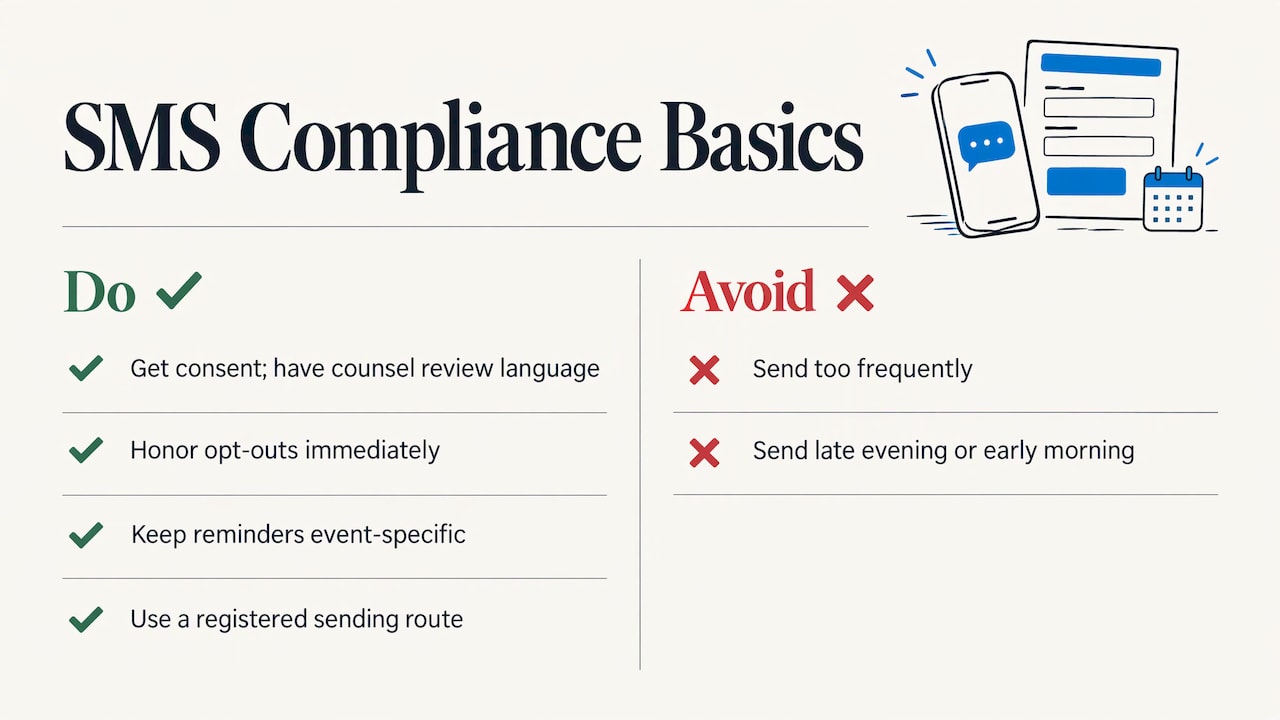
Get consent at registration. Add a clear, unchecked opt-in near the mobile number field. Say what you will text about (event reminders and updates), that message and data rates may apply, and how to stop. Keep a record of who agreed and when. If you also plan to send promotional texts, such as next year’s early registration, ask for that consent separately and clearly.
Honor opt-outs. The FCC’s rules recognize replies such as stop, quit, end, revoke, opt out, cancel and unsubscribe as valid ways to revoke consent, and requests must be honored within a reasonable time not to exceed ten business days. In practice, handle them immediately. Your reminder list should drop an opted-out number automatically.
Keep messages on topic. A reminder that turns into a sales pitch is a different kind of message with different consent needs. Reminders about the event the person registered for are the safest ground.
Use a registered sending route. Carriers expect businesses that send texts through a local number to register who they are and what they send. Your messaging provider or software vendor should explain how that works for your account.
Respect time and frequency. A short schedule and sensible send times protect both compliance and goodwill.
For anything beyond these basics, such as recurring series, fundraising texts or public-sector rules, ask your counsel before launch.
Trade shows: reminders for exhibitors and attendees
Trade shows have two audiences, and each needs different texts.
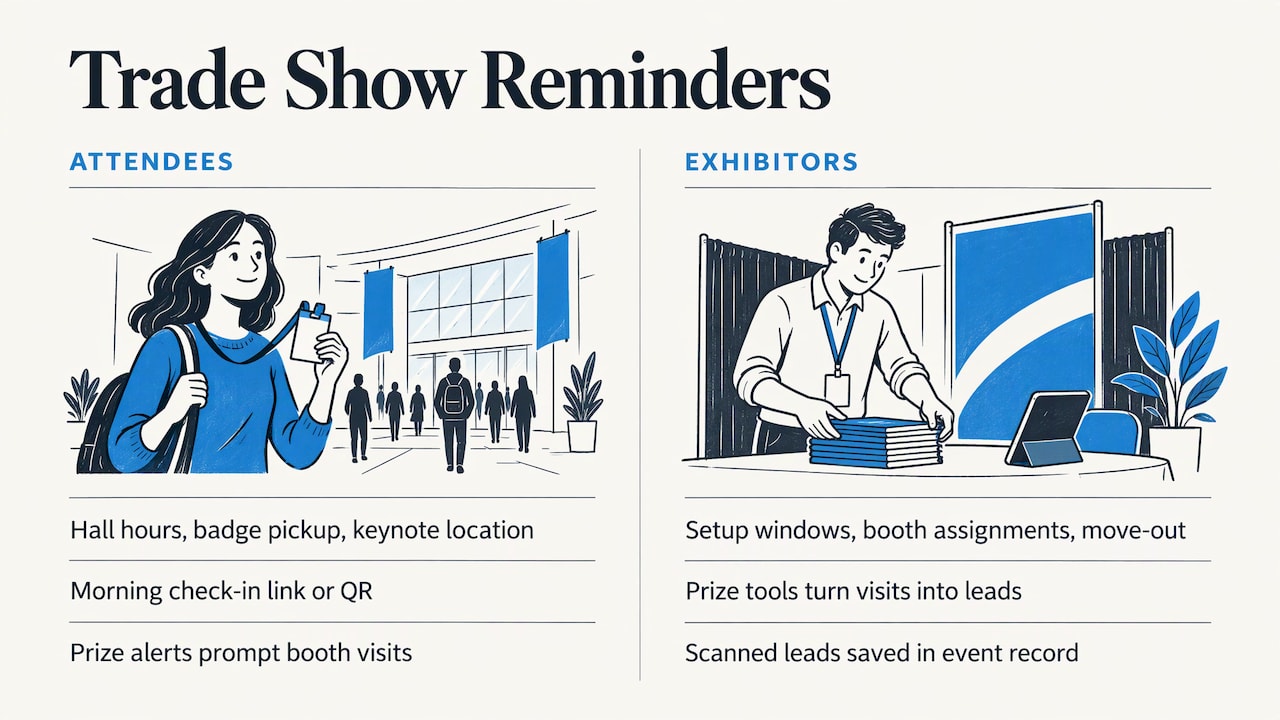
Attendees need the arrival basics: hall hours, badge pickup, where the keynote is. A morning-of text with the check-in link or QR code cuts line time at the door.
Exhibitors need setup windows, booth assignments and move-out times. These are operational messages that are easy to get wrong in email threads.
Once the show is running, texts can drive traffic to the floor. A short alert about a live Winner Drawing or an Instant Prize Wheel at a sponsor booth gives attendees a reason to stop by, and gives exhibitors a way to turn booth visits into qualified leads. rsvpBOOK offers exhibitor and organizer lead retrieval and booth giveaway tools, so the prize moment and the scanned lead sit in the same event record. Standalone booth giveaway tools start at $99 per event. Learn how the prize wheel and winner drawing work for booths.
Career fairs: candidate capture and booth traffic
For recruiters, the reminder text has a different job: get candidates to the right booth at the right time.
- Text registered students or candidates a day ahead with the venue, hours and a reminder to bring resumes.
- On the day, send a short message listing employers by hall or zone so candidates plan their route.
- After the fair, send a thank-you with a link to apply or schedule a follow-up.
Recruiting teams can use booth giveaways to draw candidates in, and scanning at the booth captures who visited. That gives you a candidate list built from real interactions, not guesses.
How to send SMS event reminders, step by step
Here is the routine, with the places it usually goes wrong.
- Build consent into registration. Add a mobile number field and an opt-in line to your registration form. Where it goes wrong: collecting numbers with no consent wording, then trying to fix it later. With rsvpBOOK, registration sites are branded and use custom questions, so the opt-in sits in the same flow as the rest of the signup.
- Decide your schedule. Pick two or three send points from the table above and write the messages before launch. Where it goes wrong: writing texts the week of the event, under pressure.
- Segment where it matters. Attendees, exhibitors, speakers and workshop participants need different details. When registrant types and sessions live in one record, you can address each group with its own message. Where it goes wrong: a single blast to everyone, including people whose session moved.
- Schedule, don’t send manually. Automating sends from your registration list means late registrants and cancellations are handled without a second spreadsheet. rsvpBOOK’s SMS module and automatic alerts are built for this kind of work.
- Pair texts with email. Send the full agenda by email, then use texts for the short, time-sensitive prompts. rsvpBOOK’s help center explains how to send a reminder to attend, and its email invitation and reminder tools cover the longer messages.
- Test with your own team. Send each message to a few staff phones to check length, links and timing.
- Monitor replies on the day. Someone should watch for questions and opt-outs during the event, and for any change that needs a quick follow-up text.
- Review the results. Compare check-in numbers against registrations and note which sends worked. Custom reports help you see attendance patterns for next time.
Small events can get by with texting from a phone. Once you pass a few dozen people, or need consent records and groups, a system tied to registration saves hours and prevents mistakes.
What to look for in event reminder software
When you compare options, focus on how well the tool fits the way you run events:
- Connected to registration. Reminders should pull from the live registration list, not a file you export and upload.
- Consent tracking. You need to know who opted in and who opted out.
- Scheduling and automation. Set the sends once and let them run.
- Segments. Send different messages to attendees, exhibitors and session participants.
- Fit with onsite tools. Check-in, badges and the attendee app should use the same record as your texts.
- Support when you need it. A launch week is not the time to read documentation alone.
- Pricing you can predict. Per-registration pricing scales with the size of your event.
Standalone texting tools handle the message but not the registration behind it. Enterprise event platforms cover a lot, but can bring more complexity and setup than a small or mid-sized team needs. rsvpBOOK sits in the middle: flexible configuration for complex events, without the weight of enterprise platforms. If you are mapping out your wider event workflow, a roundup of project management tools for event planners can help you organize tasks around the communication plan.
Where rsvpBOOK fits
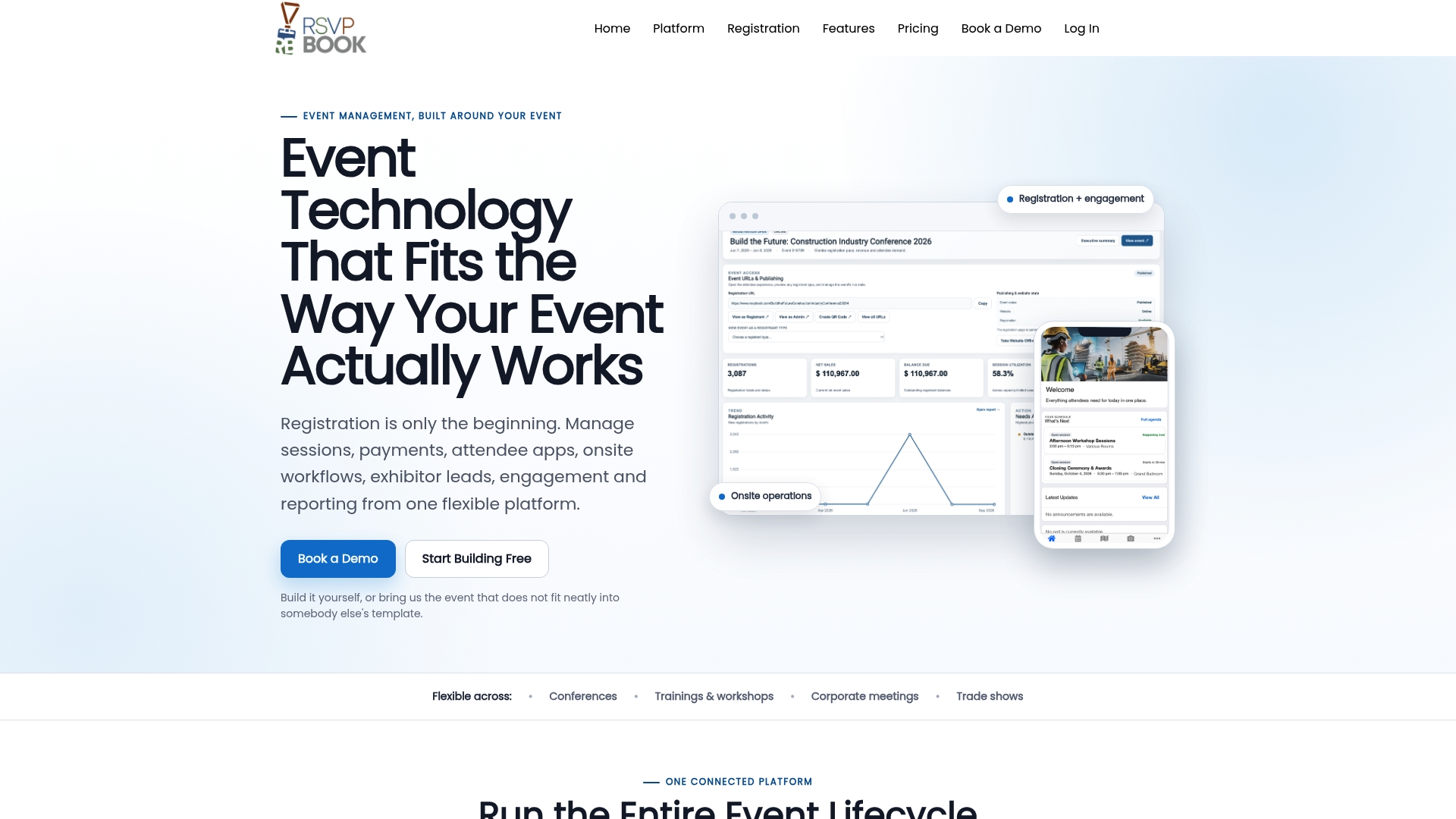
rsvpBOOK is event management and registration software that connects registration, payments, sessions, onsite operations, exhibitor programs, engagement and reporting in one record. That matters for reminders because the person receiving a text is the same person who registered, picked a workshop and will scan in at the door.
The platform includes:
- Branded registration sites with custom questions, registrant types, group and table registration, and discounts
- Sessions and workshops with CE credits
- QR check-in, free on any smartphone, and Kiosk+ self check-in
- Custom name badges and a mobile attendee app with personalized agendas and messaging
- An SMS module, SMS reminders and automated alerts
- Gamification, scavenger hunts, trivia and big-screen prize drawings
- Custom reports
Pricing is per registration, with discounted rates for nonprofits and government organizations. Badge printing and check-in kiosk hardware are available as optional add-on rentals. Hands-on implementation support is available when an event needs it, and an AI-assisted builder can turn an event design document into a working setup quickly. One customer moved 2,600+ attendees through check-in with QR scanning.
See the SMS Messaging and module pricing page or the event management software overview to see how the pieces fit together.
Our perspective
We have been building event software since 2004, and the pattern has not changed: events go well when the information is in one place.
A reminder is only as good as the list behind it. When registration, session choices, payments and check-in live in separate tools, someone ends up reconciling spreadsheets the night before the event, and that is when the wrong text goes to the wrong group.
That is why we treat texting as part of the event record, not as a separate campaign. The same registrant data that drives a badge or a workshop assignment can drive a reminder. Planners set it up once, and it keeps working as registrations come in, change or cancel.
We also know every team is different. Some want to build the event themselves and some want a hand, so we offer self-service setup and hands-on implementation support. Pricing is per registration, with discounted rates for nonprofits and government, so you pay in line with the size of your event.
Start with two texts, make them useful, and add more only when you have a reason.
Droshawn
FAQ
How many SMS reminders should I send for an event?
Two is a solid default: one 24 to 48 hours before and one on the morning of the event. Add a text only when something changes or attendees need to act. Multi-day events can justify a short evening preview of the next day.
Do I need permission to text event registrants?
Yes. In the US, plan to collect clear consent at registration, say what the texts are for, and honor STOP and similar replies. The FCC recognizes a list of common opt-out words. Have your attorney review your consent wording, especially if you will send anything promotional.
What should an event reminder text say?
Include the event name, date, start time, location and one action, such as showing a QR code at check-in. Keep it to a few lines and put the key detail first. Add opt-out wording on the confirmation and as your counsel advises on later messages.
Should I use SMS or email for event reminders?
Use both. Email carries the agenda, maps and instructions. SMS carries short, urgent prompts. Because rsvpBOOK includes email reminders and an SMS module, you can run both from the same registration list.
Can I send reminders to exhibitors and speakers, not just attendees?
Yes. Different groups need different information, such as setup times for exhibitors or room details for speakers. Keep them as separate registrant types so each group receives only what applies to it.
Ready to send smarter event reminders?
See how registration, SMS reminders and onsite check-in work together. Book a demo or start building an event free at rsvpBOOK.
Sources
- Apple Support: the difference between iMessage, RCS and SMS/MMS
- FCC order on TCPA consent and revocation
- EventRentAZ: Party RSVP reminder wording
- Project management tools for event planners
Planning an event that doesn’t fit neatly into somebody else’s template? See how rsvpBOOK handles registration, onsite check-in, lead retrieval and engagement in one platform. Book a demo: https://www.rsvpbook.com/book-a-demo