
The best event management software for associations is the one that handles member pricing, group registration, CE sessions, hotel room blocks, badges, check-in and exhibitors in a single record. rsvpBOOK is a strong option for associations and mid-size conferences: it connects those stages in one platform, prices per registration, and offers hands-on implementation support. rsvpBOOK has supported event organizers since 2004, and it is a flexible alternative to enterprise event platforms.
This guide compares the main types of conference registration software and shows what to check before you commit.
TL;DR
- Associations and mid-size conferences need registrant types, member pricing, group registration, sessions with CE credits, room blocks, badges and QR check-in in one system.
- Four types of tools compete here: ticketing marketplaces, form builders, enterprise suites and flexible all-in-one platforms.
- rsvpBOOK sits in the last group. It prices per registration, offers discounted rates for nonprofits and government, and provides hands-on implementation support.
- Badge printing and check-in kiosk hardware are optional add-on rentals.
- Test the full journey, from registration to check-in to reporting, before you sign.
Table of Contents
- What conference registration software actually has to do
- The checklist for associations and mid-size conferences
- Types of conference registration software compared
- Which type fits which event
- How to evaluate a platform in a demo
- How rsvpBOOK handles setup
- About rsvpBOOK pricing
- Perspective
- See it on your own event
- FAQ
- Next step
- Sources
What conference registration software actually has to do
A conference is not a ticket sale. A registrant may be a member, a non-member, a student, a speaker or a sponsor’s staff member, and each pays a different price. Some register as a team of twelve. Some pick workshops that earn continuing education (CE) credits. Others need a hotel room.
Software built only to sell tickets handles the first step well and then leaves you with spreadsheets. The practical test is simple: can one record follow a person from registration through payment, sessions, hotel, check-in and the post-event report?
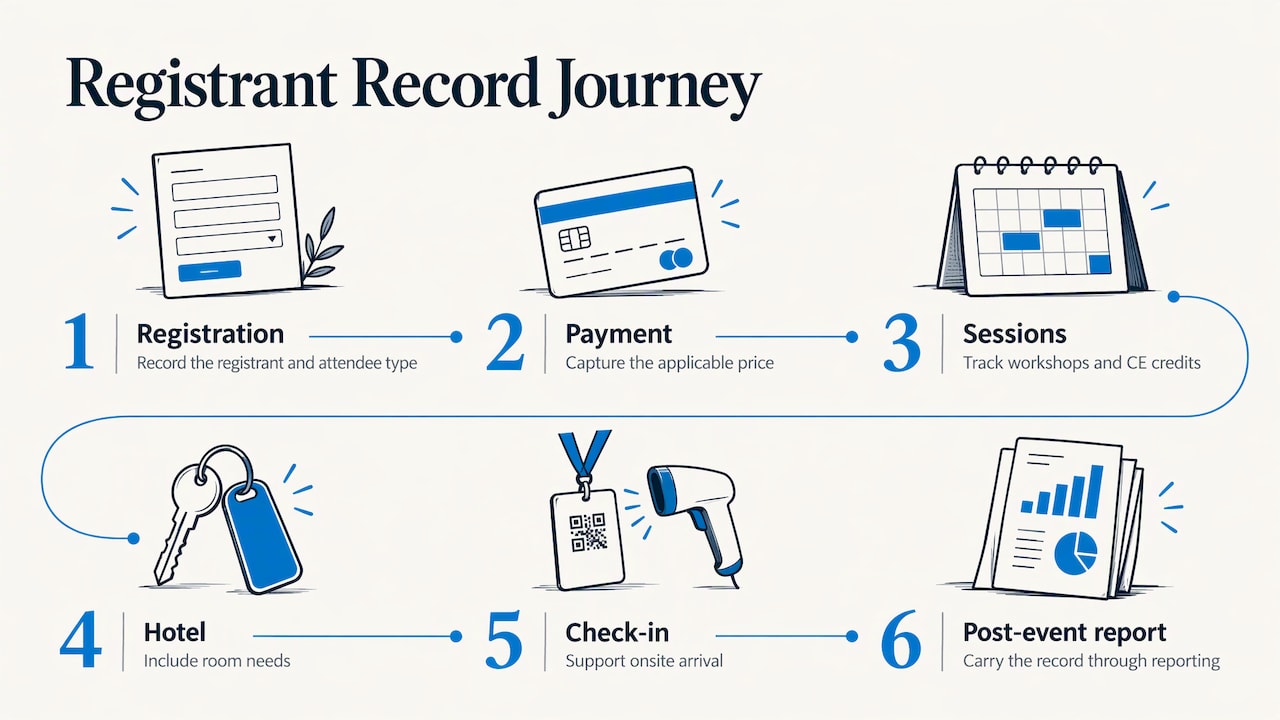
Most planners who run into trouble discover it at the handoffs. Event Tech Live’s guidance on choosing event technology suggests mapping the journey from registration to communications, check-in, badges or apps and CRM data, and asking whether each handoff is supported or needs development work. That is a good way to compare any two platforms.
The checklist for associations and mid-size conferences
Use this list when you review any platform. Each item has a reason behind it.
Registrant types and member pricing
Associations price by relationship: member, non-member, early bird, student, retiree, speaker. The software should let you define registrant types, attach different fees and questions to each, and apply discounts without manual fixes.
rsvpBOOK lets organizers build branded registration sites with custom questions, registrant types and discounts. Its event registration forms can differ by registrant type, so a member sees member pricing and a guest sees the guest path.
Group and table registration
Companies buy tables. Chapters send delegations. One person often pays for many attendees, and each attendee still needs a name, a meal choice and a session list.
Look for a system where the group lead registers or pays once, then the individual details are collected per person. rsvpBOOK supports group and table registration, and its group registration support page explains how it works.
Sessions, workshops and CE credits
If your members need credits, the software must track who attended which session. Ask how sessions are capped, how workshop assignments work, and how attendance ties back to credits. Also ask about session revision windows: can a registrant change their workshop picks after registering, and until when? Policies differ by platform, so get the answer for your own workflow.
rsvpBOOK supports sessions, classes and workshops with CE credits, plus appointments and surveys.
Hotel room blocks
Room blocks protect your contract with the hotel. If attendees book outside the block, you risk attrition penalties. Software that connects housing to registration helps you see pickup in the same place you see registrations. rsvpBOOK offers room block management as part of the event record.
Payments
The platform should handle cards, invoices, discounts and refunds in one place, tied to each registrant. See rsvpBOOK’s event payment management for how payments connect to registration.
Badges and check-in
On the day, speed and fallback matter. Look at badge design, printing, QR scanning and what happens when the Wi-Fi drops. rsvpBOOK offers custom name badges, QR check-in that runs free on any smartphone, and Kiosk+ self check-in. Badge printing and check-in kiosk hardware are optional add-on rentals, so you add them only if your event needs them.
One rsvpBOOK customer moved 2,600+ attendees through check-in with QR scanning. For details, see QR code event check-in and name badges.
Exhibitor programs
Many association conferences fund themselves through the exhibit hall. That means booth sales, exhibitor registration and lead capture, not just attendee registration.
rsvpBOOK offers interactive booth maps with booth sales, exhibitor and organizer lead retrieval, and booth giveaways. The giveaway tools, an Instant Prize Wheel or a live Winner Drawing, turn booth visits into qualified leads. Standalone booth giveaway tools start at $99 per event.
Engagement and the attendee app
A mobile app with personalized agendas and messaging keeps attendees on schedule. Gamification, scavenger hunts, trivia, big-screen prize drawings and SMS reminders give them reasons to visit sessions and booths. rsvpBOOK includes these tools, and the attendee mobile app is built around personalized agendas and messaging.
Reporting
You need to know who registered, who showed up, which sessions filled and how exhibitors fared. Custom reports and automated alerts should be part of the platform, not an export you assemble by hand. When you review results across years, a shared planning process helps too. Your team can also use project management tools for event planners to keep post-event reviews and historical comparisons on schedule.
Types of conference registration software compared
Rather than ranking brand names, it helps to compare the four kinds of tools you will meet in a search.
| Type | Strength | Where associations feel the gap |
|---|---|---|
| Ticketing marketplaces | Fast setup for simple public events | Member pricing, CE tracking, room blocks and exhibitor programs are usually not the focus |
| Form builders | Flexible forms and payments | Check-in, badges, sessions and reporting are assembled from separate pieces |
| Enterprise suites | Deep features for very large programs | Heavier setup, longer implementation and complexity a mid-size team may not need |
| Flexible all-in-one platforms such as rsvpBOOK | Registration, payments, sessions, onsite and exhibitors in one record | Best fit for teams that want configuration without enterprise overhead |
A word on cost. Pricing models differ by type: per-ticket fees, monthly or annual licenses, and custom quotes, as shown in G2’s roundup of event registration tools. Compare the total for your own registration count and the add-ons you need, not the headline number.
Integrations deserve the same care. Several enterprise-grade platforms advertise native CRM connections, but quality varies in field mapping, de-duplication and consent tracking. Ask for a walk-through with your own data fields.
Which type fits which event
Associations and mid-size conferences. You need member pricing, CE sessions, room blocks and an exhibit hall. A flexible all-in-one platform covers these without forcing you into an enterprise rollout.
Nonprofits. Budget drives the decision. Per-registration pricing scales with attendance, and rsvpBOOK offers discounted rates for nonprofits and government.
Corporate conferences. Custom registration paths, branded sites and reporting matter most. rsvpBOOK’s configurable workflows suit teams that want to adapt the process to their own event.
Training providers and workshop hosts. Session assignments, attendance tracking and CE credits are the core. See event and workshop attendance tracking.
Trade show organizers and exhibitors. Booth maps, booth sales, lead retrieval and giveaways drive value for both sides of the hall.
Career fairs and campus recruiting. The goal is candidate capture and booth traffic for recruiters. rsvpBOOK’s booth giveaway tools, also used by recruiting teams at career fairs, give candidates a reason to stop at the booth, and lead retrieval records who visited.
How to evaluate a platform in a demo
Set up a short, honest test of your own event. Bring your real registrant types, your real session list and your real hotel contract.
- Build one registration path. Start with your most complicated registrant, such as a non-member who joins a group and picks two CE workshops.
- Follow the money. Check how the discount applies, how the group invoice reads and how a refund is handled.
- Walk through event day. Look at badge design, QR scanning, self check-in and what the front desk sees.
- Open the reports. Confirm you can see registrations, check-ins, session attendance and exhibitor activity without custom work.
- Ask about support. Find out who helps with setup, and when.
The same Event Tech Live guidance also suggests checking data ownership, full exports, deletion, security, permissions, support hours and response times. Put those questions on your list before the call.
How rsvpBOOK handles setup
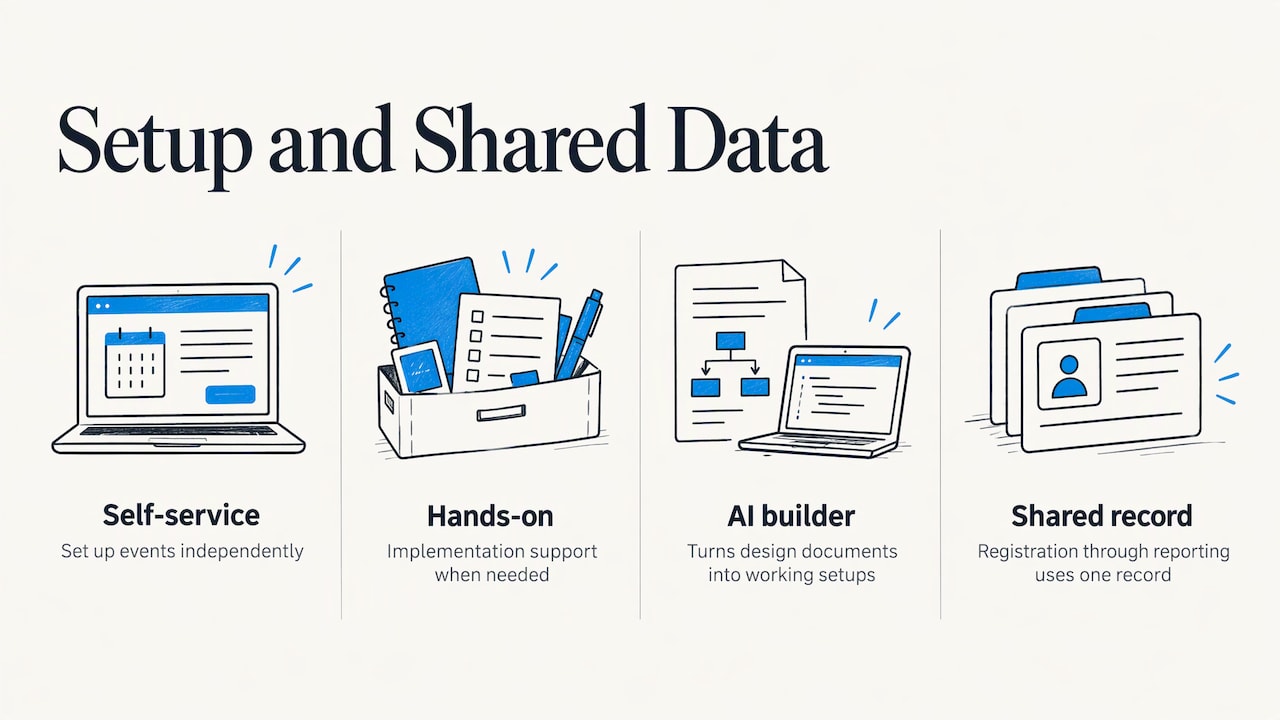
Setup is where many projects slow down. rsvpBOOK supports self-service setup, and it also offers hands-on implementation support when an event needs it. An AI-assisted builder turns an event design document into a working setup quickly, so your planning document becomes the starting point rather than something you re-enter screen by screen.
Because registration, payments, sessions, onsite operations, exhibitor programs and reporting share one record, you do not reconcile separate systems after the event. That is the practical difference from stitching together a form tool, a check-in app and a spreadsheet.
About rsvpBOOK pricing
rsvpBOOK pricing is per registration, with discounted rates for nonprofits and government. Specialized services such as lead retrieval, booth giveaways, gamification, SMS messaging and QR code management are available as modules. Standalone booth giveaway tools start at $99 per event. Check the pricing page for how the modules are organized.
Badge printing and check-in kiosk hardware are optional add-on rentals. Plan them into your budget if you want printed badges or self-service kiosks on site.
Perspective
Since 2004, the question we hear most from association planners is how to stop managing one conference in five places. Registration lives in one tool, sessions in another, hotel lists in a spreadsheet, and exhibitor leads on paper.
We built rsvpBOOK to keep all of that in one record. A registrant is one person from the first click to the final report. That is why we design for registrant types, group and table registration, CE sessions, room blocks, badges, QR check-in and exhibitor programs together, not as separate products.
We also believe a mid-size conference should not need an enterprise rollout. Some teams want to configure everything themselves. Others want a person beside them during setup. We offer both, and we price per registration so cost follows attendance.
Droshawn
See it on your own event
If you run an association meeting, a trade show or a CE program, the quickest check is to see your own registrant types and session list inside the platform. rsvpBOOK’s event registration software combines registration, payments, sessions and onsite tools, and the full feature list shows interactive booth maps, Kiosk+ and custom reports.
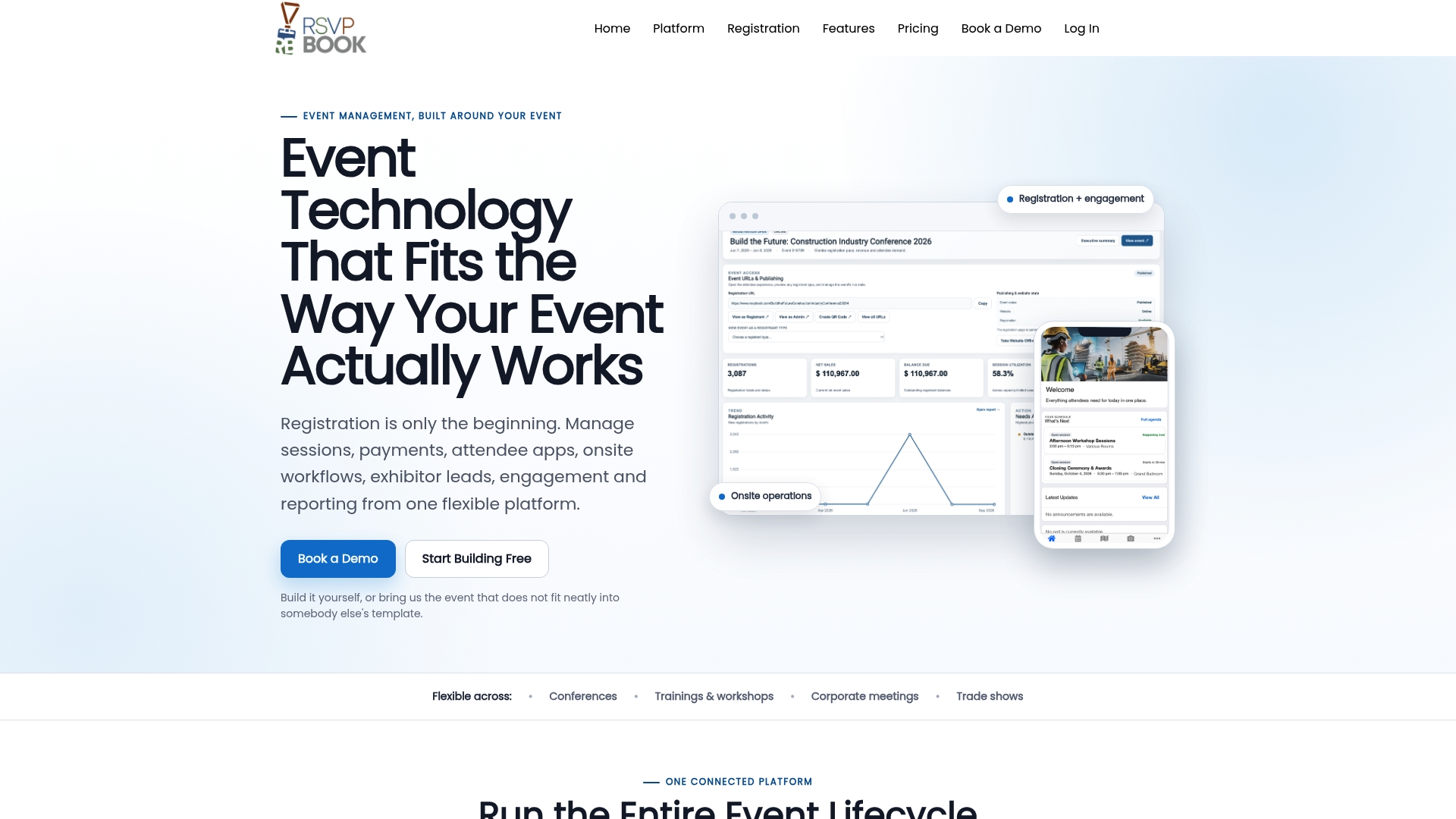
For a wider view of what the platform covers, see rsvpBOOK’s event management software page.
FAQ
What is the best event management software for associations?
The best choice handles member pricing, group registration, CE sessions, room blocks, badges, check-in and exhibitors in one record. rsvpBOOK is a strong option because it connects these stages in one platform. It prices per registration and offers hands-on implementation support.
How is conference registration software priced?
Models include per-ticket fees, subscriptions and custom quotes. rsvpBOOK pricing is per registration, with discounted rates for nonprofits and government. Optional modules such as lead retrieval and gamification are priced separately, and standalone booth giveaway tools start at $99 per event.
Does conference registration software handle exhibitors?
It can. rsvpBOOK offers interactive booth maps with booth sales, exhibitor and organizer lead retrieval, and booth giveaways through an Instant Prize Wheel or live Winner Drawing. These help exhibitors turn booth visits into qualified leads.
Is badge printing included?
rsvpBOOK offers custom name badges, and badge printing and check-in kiosk hardware are optional add-on rentals. QR check-in runs free on any smartphone. Choose the hardware your event needs and add it on.
Next step
Ready to see it with your own registrant types and sessions? Book a demo or start building an event free with rsvpBOOK.
Sources
- Choosing event technology, without getting it wrong, Event Tech Live
- Event Registration Platforms: The 2026 Landscape, Event Tech Live
- 6 Best Event Registration Tools I’ve Tried in 2026, G2
Recommended
- Online Event Registration Software: 7 Tips to Find Your Fit
- Online Event Registration: 7 Tools for a Better Attendee Experience
- Event Registration Software for Conferences
- Event Management Software Features
Planning an event that doesn’t fit neatly into somebody else’s template? See how rsvpBOOK handles registration, onsite check-in, lead retrieval and engagement in one platform. Book a demo: https://www.rsvpbook.com/book-a-demo