
Affordable event registration software for a small business comes in four pricing models: free with ticket fees, per-registration, monthly subscription and annual enterprise contract. Small teams usually do best with per-registration pricing, because the bill follows the size of each event. rsvpBOOK is built that way: pricing is per registration, you can start building an event for free, QR code check-in runs free on any smartphone, and optional add-ons are there only when an event needs them.
TL;DR
- Four pricing models cover most of the market: free with ticket fees, per-registration, monthly subscription and annual enterprise contract.
- Per-registration pricing suits small teams and uneven calendars, since cost scales with attendance and nothing sits idle between events.
- The cheapest sticker price is not always the cheapest event. Count payment processing, check-in, badges, reporting and add-ons.
- rsvpBOOK has supported event organizers since 2004, prices per registration, offers discounted rates for nonprofits and government, and gives hands-on implementation support.
- You can start building an event free and book a demo when you want a walkthrough.
Table of Contents
- What “affordable” really means for event registration
- The four pricing models, and which fits a small team
- Where rsvpBOOK fits
- What to look for in affordable event registration software
- Affordable options by type of organizer
- How to compare options in five steps
- Promo: build the event before you pay for anything
- Our perspective
- FAQ
- Sources
What “affordable” really means for event registration
A low price on a pricing page is only one part of the cost. For a busy planner, affordable means the total cost of running a specific event, from the first registration form to the post-event report.
Four things decide that total:
- The pricing unit. Do you pay per registration, per month, per user or per contract year?
- Payment costs. Card processing is charged on paid registrations almost everywhere. For reference, Stripe lists 2.9% + 30¢ per successful domestic card transaction as its standard rate, and similar percentage-plus-fixed fees are common across processors. That is the cost of taking cards, not of the registration software.
- Onsite needs. Check-in, badges, kiosks and scanning are where budgets often jump.
- Setup time. Your hours cost money too. A tool that takes two weeks to configure is not cheap if you run four events a year.
Keep those four in mind as you read the models below.
The four pricing models, and which fits a small team
Free with ticket fees
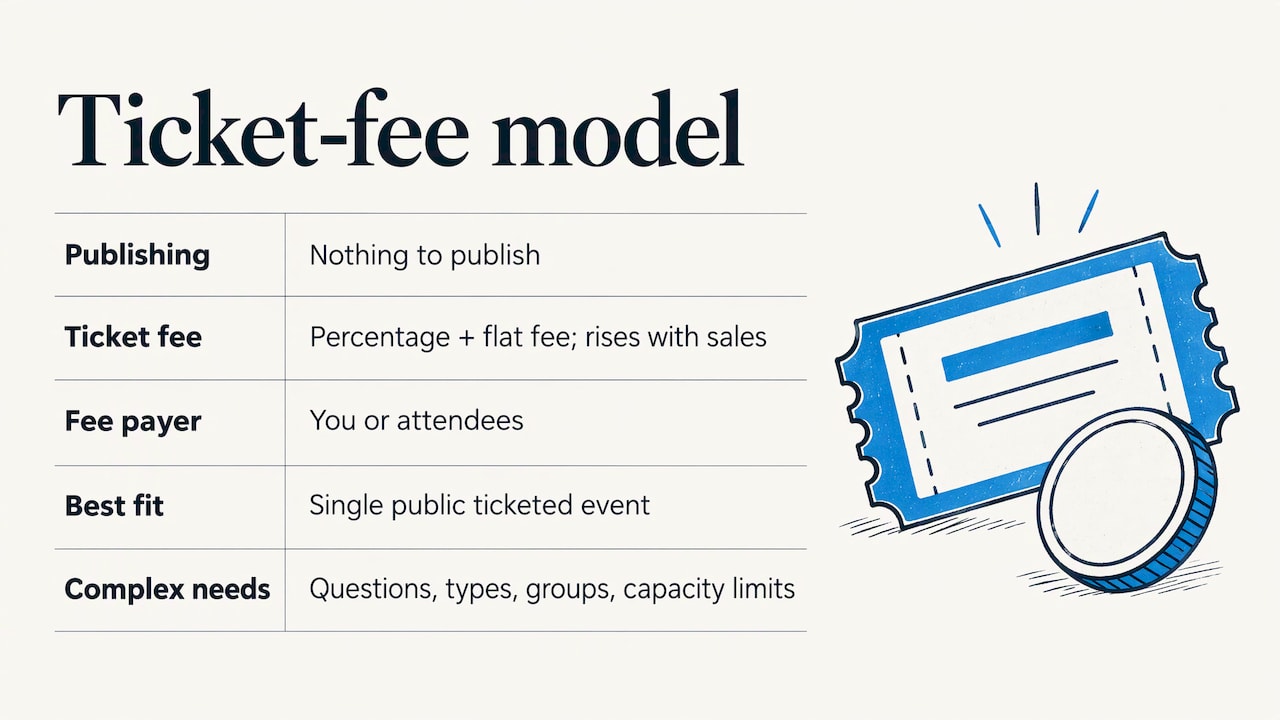
The platform costs nothing to publish. It takes a fee on each paid ticket, usually a percentage plus a flat amount, and you or your attendees cover it.
This works well for a single public ticketed event, such as a community workshop or a fundraiser night. It gets harder when you need custom questions, registrant types, group or table registration, or sessions with capacity limits. Fees also climb with sales, so a successful event costs more.
Per-registration pricing
You pay for each registration processed. A 40-person workshop costs less than a 2,600-person conference, and a quiet quarter costs almost nothing.
For small teams this is usually the best fit. Budgeting is simple: expected registrations times the per-registration rate, plus any module you choose. There is no monthly fee waiting for you when the calendar is empty.
Monthly subscription
You pay a flat monthly amount, often tiered by number of events, attendees or features. This is predictable and can be good value if you run events every month.
The risk is paying for months with no events, or hitting a tier limit during your busiest season and being pushed to the next plan.
Annual enterprise contract
A yearly agreement, often user-based or quoted by sales, built for large programs with many events, many staff and complex approvals. These platforms are powerful. For a small business running a handful of events, the commitment and the configuration effort are usually more than the job requires.
Quick comparison
| Model | How you pay | Best for | Watch for |
|---|---|---|---|
| Free with ticket fees | Fee on each paid ticket | One simple public event | Fees grow with sales; limited custom logic |
| Per-registration | A rate per registration, plus optional modules | Small and mid-size teams with varied events | Confirm which add-ons you need up front |
| Monthly subscription | Flat monthly amount | Teams with events every month | Paying in quiet months; tier caps |
| Annual enterprise contract | Yearly agreement, often quoted | Large multi-event programs | Commitment length; setup effort |
Where rsvpBOOK fits
rsvpBOOK is event management and registration software that has supported event organizers since 2004. It sits between a simple ticketing page and a heavyweight enterprise platform: flexible configuration for complex events, without the complexity of enterprise systems. That makes it a practical, flexible alternative to large enterprise event platforms for teams that need more than a ticket page but do not want an annual contract built for a global program.
What that looks like in practice:
- Per-registration pricing. You pay as registrations come in. Nonprofits and government organizations get discounted rates.
- Free to start building. You can build your event before you commit to running it.
- Free QR check-in. QR code check-in works on any smartphone, so you do not need to buy scanners. One customer moved 2,600+ attendees through check-in with QR scanning.
- Optional add-ons. Lead retrieval, booth giveaways, gamification, SMS messaging and QR code management are modules you add only when an event calls for them.
- Hands-on implementation support. Self-service setup is there if you want it. If an event is complicated, our team can help set it up.
- One record for the whole event. Registration, payments, sessions, onsite operations, exhibitor programs, engagement and reporting live in a single data record, so you are not exporting spreadsheets between disconnected tools.
What to look for in affordable event registration software
Use this checklist when you compare any option. It works for a 50-person training day as well as a trade show.
A registration site you can brand and control
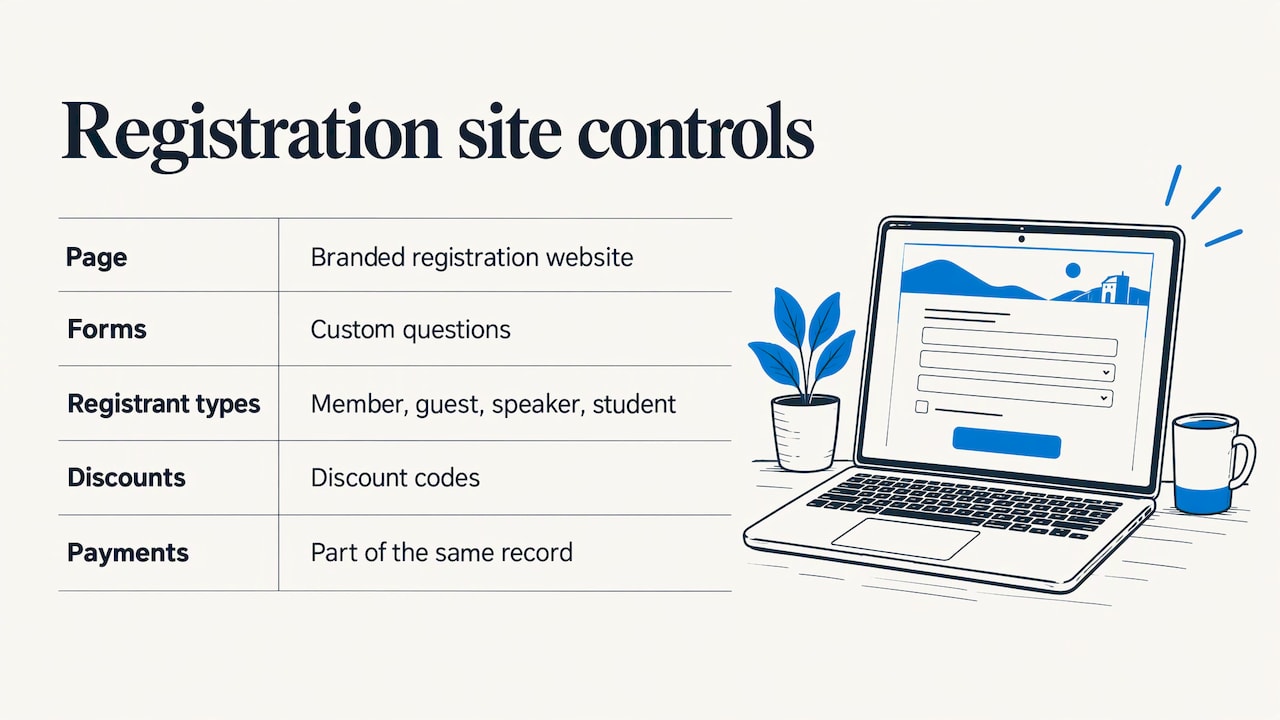
Your registration page is the first thing attendees see. You want custom questions, different registrant types (member, guest, speaker, student), discount codes and a payment step that does not feel like a detour. rsvpBOOK builds branded registration websites with custom registration forms, registrant types and discounts, and handles event payments as part of the same record.
Group and table registration
Corporate tables, school delegations and team sign-ups are where cheap tools get messy. If one person registers ten colleagues, you need to track who is attending, who has paid and who still has to fill in dietary or session choices. rsvpBOOK supports group registration for exactly that.
Sessions, workshops and credits
Training managers and CE providers need capacity limits, workshop assignments and credit tracking. rsvpBOOK handles sessions and workshops, including CE credits, and supports attendance tracking at onsite check-in so you can tell who actually attended which session.
Check-in that does not need a hardware budget
Check-in is where many teams overspend. With rsvpBOOK, QR check-in is free on any smartphone. For larger events, Kiosk+ self check-in and custom name badges are available, and badge printing and check-in kiosk hardware are optional add-on rentals. You rent them for the events that need them and skip them for the ones that do not.
Reporting you can use
A registration list is not a report. Look for custom reports and automated alerts that tell you when a session is filling up or a payment is outstanding. rsvpBOOK includes custom reports and automated alerts, so the data you collect turns into decisions.
Setup time
For a small team, setup effort is a real cost. rsvpBOOK includes an AI-assisted builder that turns an event design document into a working setup quickly, and hands-on implementation support is available when an event needs it.
If you are also choosing the tools around registration, such as task boards and timelines, this roundup of project management tools for event planners can help you match your stack to your team size.
Affordable options by type of organizer
Different teams need different things from the same price tag. Here is how the model fits each reader.
Small businesses and corporate teams
You run a customer day, a product launch or an internal training. You need a branded page, payment options, reminders and a clean attendee list. Per-registration pricing means each event is budgeted on its own, and the event management software can grow with you if you add sessions or an attendee app later.
Nonprofits
Galas, fundraisers, volunteer days and annual meetings run on tight budgets. rsvpBOOK offers discounted rates for nonprofits and government organizations, and the nonprofit event registration page shows how the setup works. Congregations can look at church event registration tools for camps, classes and gatherings.
Trade show organizers and exhibitors
Trade shows need more than registration. Exhibitors want leads, and organizers want booth sales and traffic. rsvpBOOK offers exhibitor and organizer lead retrieval, interactive booth maps with booth sales, and booth giveaways. The giveaway can be an Instant Prize Wheel or a live Winner Drawing, which turns booth visits into qualified leads. See the trade show prize wheel and winner drawing page for how it works. Standalone booth giveaway tools start at $99 per event, so an exhibitor or small show can add them without buying a full platform.
Campus recruiters and career fair hosts
For a career fair, the goal is candidate capture and booth traffic. Recruiters want to leave with a list of interested candidates, not a pile of paper. The same prize wheel and winner drawing tools work for recruiting teams at career fairs, giving candidates a reason to stop and share their details. Lead retrieval and QR scanning then record the interaction.
Association meeting planners
Member and non-member rates, hotel room blocks, sessions and exhibitors all land on one planner. rsvpBOOK covers hotel room block management, sessions and exhibitor programs in one record, which cuts the number of systems you manage.
Marketing teams
If the goal is engagement, not just headcount, look at gamification, scavenger hunts, trivia, big-screen prize drawings and SMS reminders. These are optional modules, so you pay for them only on the events where engagement is the point.
How to compare options in five steps
- Write down your next three events. Note expected registrations, whether they are paid, and what happens onsite.
- List must-have features. Group registration, sessions, discounts, badges, lead capture. Cross off anything you will not use.
- Estimate the full cost per event. Software fee, add-ons, payment processing and any hardware you would need.
- Check the setup effort. Ask how long setup takes and whether someone will help you do it.
- Run one real event. Start with a smaller event so you see how registration, payments and check-in behave before the big one.
Promo: build the event before you pay for anything
If you want to see how this works on your own event, you can start building in rsvpBOOK for free. Pricing is per registration, QR check-in is free on any smartphone, and nonprofit and government organizations get discounted rates. Our team offers hands-on implementation support if your event is complex.
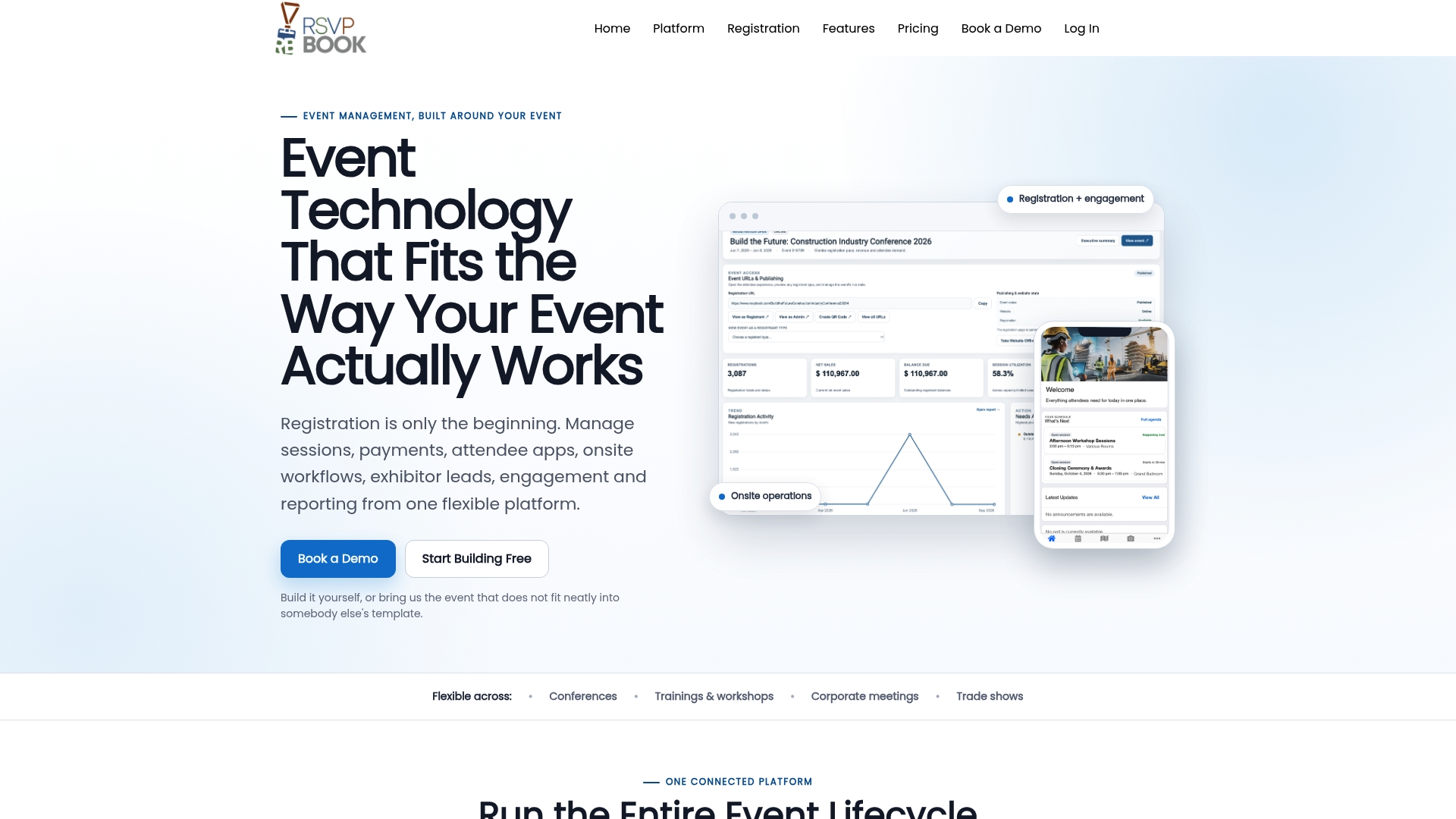
When you are ready for a walkthrough, see event registration for conferences and meetings or visit the pricing page for booth giveaway tools and other optional modules.
Our perspective
We have supported event organizers since 2004, and the same pattern keeps showing up in how teams think about cost. They look at the monthly fee and forget what happens on event day.
Our view is that registration software should follow the event, not the other way around. That is why we price per registration, why QR check-in is free on any smartphone, and why badge printing and kiosk hardware are optional rentals rather than a bundle everyone pays for. A small team running a workshop should not carry the cost of a trade show.
We also believe in keeping the whole event in one record. When registration, payments, sessions, onsite check-in, exhibitors and reporting share the same data, planners spend less time reconciling spreadsheets and more time on the attendee experience.
Not every event is simple, so we offer both self-service setup and hands-on implementation support. You choose how much help you want.
Droshawn
FAQ
What is the most affordable pricing model for small events?
For most small teams, per-registration pricing is the most affordable over a year, because you pay in proportion to attendance and nothing during quiet months. Free-with-fees tools can be cheapest for one simple public event. Subscriptions and enterprise contracts tend to pay off only when you run many events.
Does rsvpBOOK charge per registration?
Yes. rsvpBOOK pricing is per registration. Optional modules such as lead retrieval, gamification, SMS messaging and QR code management are added only when you need them. Standalone booth giveaway tools start at $99 per event.
Is there a discount for nonprofits or government?
Yes. rsvpBOOK offers discounted rates for nonprofits and government organizations. Our nonprofit page explains how registration works for fundraisers, galas and member events.
Do I need to buy scanners or kiosks for check-in?
No. QR check-in is free on any smartphone, so volunteers can scan with the phones they already have. Badge printing and Kiosk+ check-in kiosk hardware are optional add-on rentals for events that want them.
Can I get help setting up my event?
Yes. You can build your event yourself, and an AI-assisted builder turns an event design document into a working setup quickly. rsvpBOOK also offers hands-on implementation support when an event needs it.
Sources
Ready to see it on your own event? Book a demo or start building an event free.
Recommended
- Event Registration Software for Nonprofits
- Event Registration Forms
- Online Event Registration Website Management
- Group Registration Support
Planning an event that doesn’t fit neatly into somebody else’s template? See how rsvpBOOK handles registration, onsite check-in, lead retrieval and engagement in one platform. Book a demo: https://www.rsvpbook.com/book-a-demo

