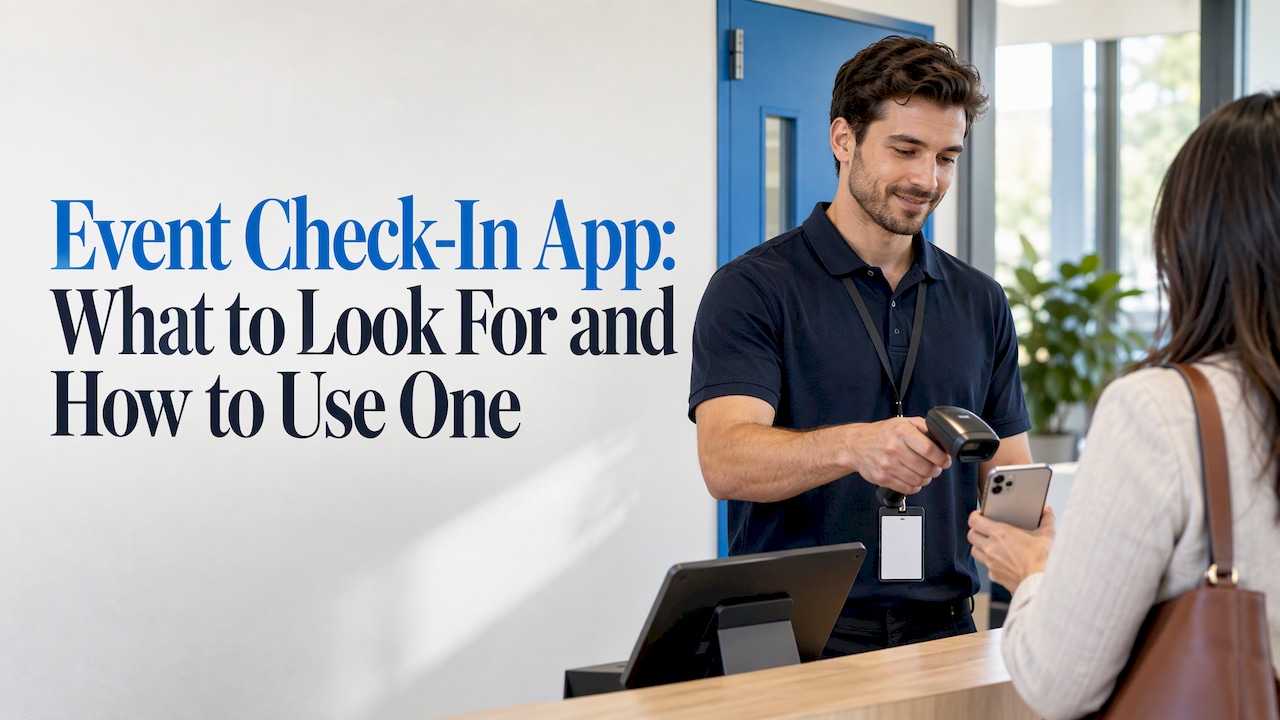
What is the best event check-in app with QR codes? The best one sends each registrant a QR code on their ticket or confirmation, lets staff scan it with a phone, offers self check-in kiosks for busy doors, prints name badges on demand and shows attendance in real time. rsvpBOOK covers that full list: QR code event check-in is free on any smartphone, and Kiosk+ self check-in and custom name badges with QR or PDF417 codes sit in the same system. Badge printing and kiosk hardware are optional add-on rentals.
rsvpBOOK has supported event organizers since 2004, so the tools below come from a long run of real check-in desks, from small workshops to large trade shows.
TL;DR
- A check-in app is fast when the work happens before the doors open: every registrant already has a unique QR code and a record that matches it.
- Use three lanes at the door: phone scanning for people with a code, a kiosk for self check-in, and a help desk for exceptions.
- Print badges on demand so you do not pre-print hundreds of names that change in the last week.
- Real-time attendance tracking tells you where lines build and who has arrived, session by session.
- rsvpBOOK offers free QR check-in on any smartphone, Kiosk+, and custom badges. Pricing is per registration, with discounted rates for nonprofits and government.
Table of Contents
- What an event check-in app actually does
- What makes check-in fast
- How to avoid long check-in lines
- Choosing an event check-in app: the criteria that matter
- Check-in for different kinds of events
- A simple check-in plan you can copy
- A flexible alternative to enterprise event platforms
- Build your check-in with rsvpBOOK
- FAQ
- Sources
What an event check-in app actually does
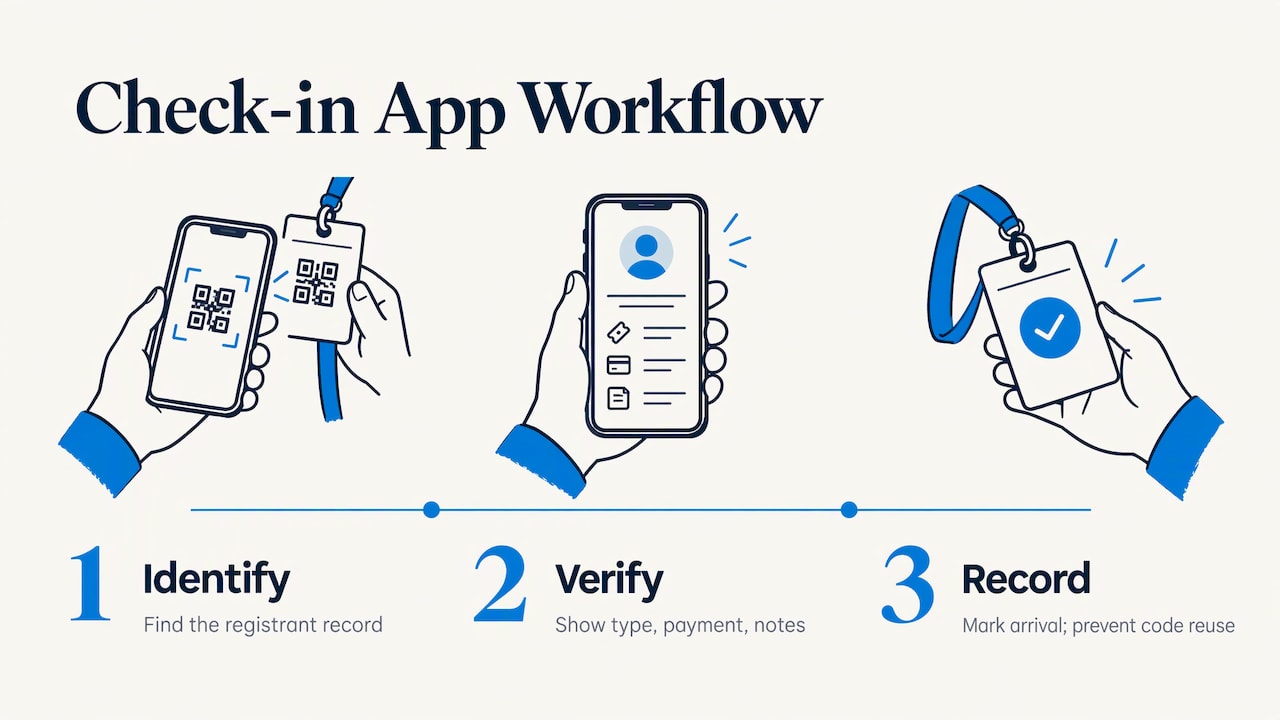
An event check-in app marks a registrant as arrived and confirms they are in the right place. That sounds simple. At the door it comes down to three questions: who is this person, did they register, and have they already come in?
A good app answers all three in the time it takes someone to hold up a phone. It looks up the registrant, shows the registrant type, payment status and any special notes, and records the arrival so the same code cannot be used twice.
The app is only as good as the registration data behind it. If check-in lives in a separate tool from registration, someone has to export and import a list, and last-minute changes fall through the gap. That is the reason rsvpBOOK keeps registration, payments, sessions and onsite operations in one record: the person at the door sees the same data the registrant entered online.
What makes check-in fast
Speed comes from five things. Each one removes a specific delay.
QR codes on tickets and confirmations
A QR code is a square, two-dimensional barcode that a phone camera reads. It was invented in 1994 by Denso Wave to label car parts, and phones now read it with no extra app or hardware.
For events, the code is unique to each registrant. It goes on the confirmation email, the ticket or the printed badge. A scan finds the record instantly, so nobody spells a last name or flips through an alphabetical list.
Scanning with staff phones
Staff with phones can scan anywhere, not only at a fixed table. That matters when 300 people arrive in 20 minutes. You can add scanners by handing out phones, and you can put a scanner at each door or session room.
In rsvpBOOK, QR check-in is free on any smartphone, so you do not buy scanning equipment to get started. One rsvpBOOK customer moved more than 2,600 attendees through check-in with QR scanning.
Self check-in kiosks
A kiosk lets attendees check themselves in. Staff stop typing and start greeting. Kiosks work well at conferences, association meetings and trainings where hundreds arrive together and most people know their own name and email.
Kiosk+ is rsvpBOOK’s self check-in option. Kiosk hardware is an optional add-on rental, so you rent it only for the events that need it.
On-demand name badges
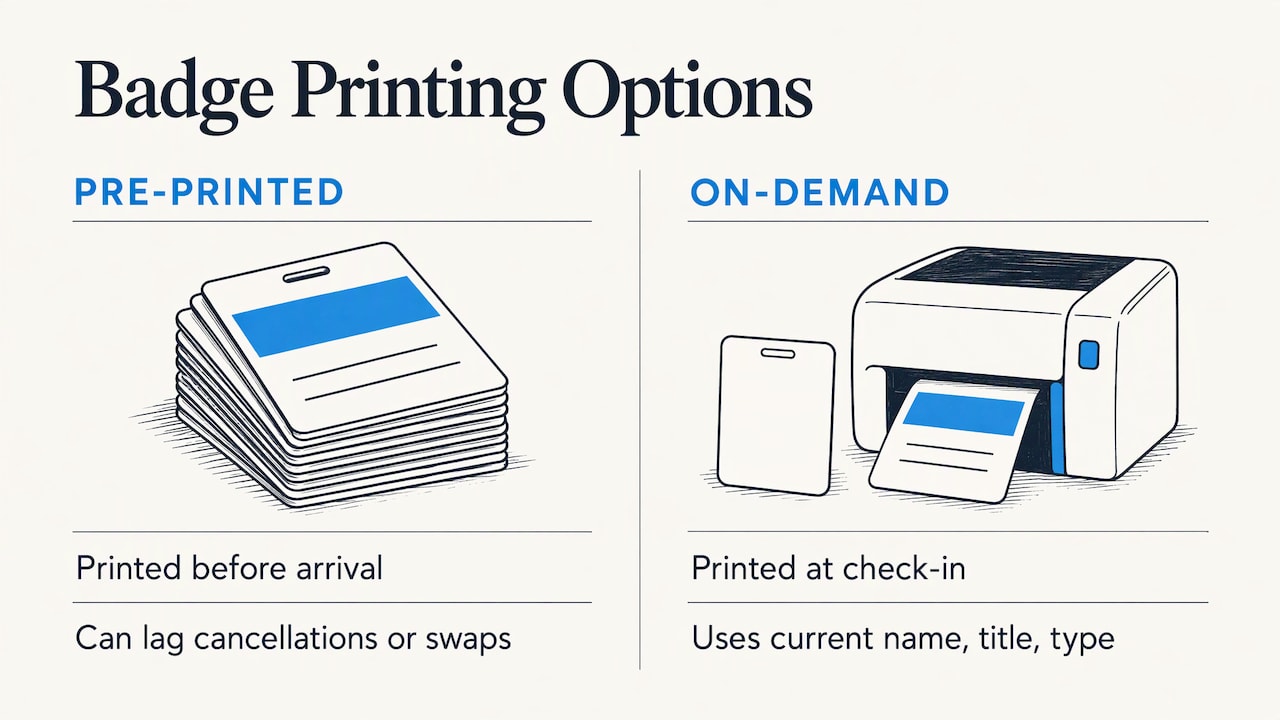
Pre-printed badges look tidy until registrations change. People cancel, swap in a colleague or add a workshop the week before. Printing on demand puts the badge in hand at the moment of check-in, with the current name, title and registrant type.
rsvpBOOK offers custom name badges with QR or PDF417 codes. PDF417 is a stacked linear barcode common on IDs and badges, and it suits scanners that read standard barcodes. Badge printing hardware is an optional add-on rental. For layout, paper and cost choices, the event badge printing guide walks through the options.
Real-time attendance tracking
Every scan updates the count. You see who has arrived, who has not, and how a session fills up. That helps you decide when to open a second line, when to start a keynote and which no-shows to follow up with.
With attendance tracking for events and workshops, check-in can happen at the door and again at each session. That is useful for trainings where attendance is recorded by class, and for CE credits that depend on who actually sat in the room.
How to avoid long check-in lines
Most long lines trace back to a handful of avoidable causes. These tips address them in the order they usually appear.
- Send the QR code early. Put it in the confirmation email and send a reminder the day before. People who cannot find their code will stall the line, so tell them where it is. SMS reminders help here.
- Tell attendees what to do. One short line in the reminder works: have your QR code ready on your phone, brightness up. A bright screen scans faster than a dim one.
- Split the line by purpose. Run separate lanes: scan-and-go for people with a code, a kiosk for self check-in, and a help desk for people without one. Mixing them lets one problem block twenty people.
- Use more than one scanner. Count your expected peak arrivals per 15 minutes and add scanners until no one waits long. Phones make this cheap.
- Print badges on demand, not before. If you must pre-print, keep a small station for reprints and changes.
- Stagger arrival where you can. Offer early check-in the evening before, or open registration desks an hour ahead of the first session.
- Brief your staff. Everyone at the door should know how to look up a name, handle a duplicate scan and send someone to the help desk.
- Watch the live count. If arrivals jump, move a staffer from a quiet door to the busy one.
A short test run the day before is worth the time. Scan a few test codes on the phones you will use, print one badge and confirm the Wi-Fi or cellular signal at the door.
Choosing an event check-in app: the criteria that matter
Most lists of check-in apps compare dozens of features. For a busy planner, five questions carry most of the weight.
| Question | What good looks like | How rsvpBOOK answers it |
|---|---|---|
| Does it use the registration data directly? | No export or import step | Registration, payments, sessions and check-in sit in one record |
| Can staff scan with their own phones? | Yes, with no equipment purchase | QR check-in is free on any smartphone |
| Is there a self-service option? | Kiosks for peak arrivals | Kiosk+ self check-in, with optional rental hardware |
| Can badges print at the door? | Current names and registrant types | Custom badges with QR or PDF417 codes, printing hardware as an optional rental |
| Can you see attendance live? | Counts by event and by session | Real-time attendance tracking, custom reports and automated alerts |
The first row is the one that most often decides things. A standalone scanning app can be quick in a demo and slow in practice if it needs a manual list upload every time registrations change.
Check-in for different kinds of events
Conferences and association meetings
These events have registrant types, such as member, non-member, speaker and exhibitor, and they often have paid sessions or workshops. Check-in needs to show the type and what the person is entitled to. Because registration forms and check-in share the same record, the badge and the scan result reflect what each person bought.
Trainings, workshops and CE sessions
Training managers and CE providers need proof that someone attended a specific session. Session-level check-in gives that record. rsvpBOOK supports sessions and workshops with CE credits, so attendance and credits stay linked instead of living in a spreadsheet.
Trade shows
For trade shows, check-in is the start of the data trail. Attendees scanned at the door can also be scanned at booths. rsvpBOOK offers exhibitor and organizer lead retrieval, so a badge scan at a booth becomes a lead record.
Booth giveaways turn visits into qualified leads. Exhibitors can run an Instant Prize Wheel or a live Winner Drawing, and each spin or entry captures a lead. Standalone booth giveaway tools start at $99 per event.
Career fairs
For campus recruiters and career fair hosts, the goals are candidate capture and booth traffic. Check-in at the door gives you a count of students who showed up. At the booth, a scan records the candidate, and a prize wheel or drawing gives students a reason to stop and share their details. Recruiting teams use rsvpBOOK booth giveaways this way. Afterward, recruiters have a list of candidates to follow up with rather than a stack of paper sign-ups.
Ticketed events
If you sell tickets, the QR code on the ticket is the entry pass. rsvpBOOK’s event ticketing connects ticket sales to the same check-in scan, so a code works only for the right person and the right event.
A simple check-in plan you can copy
Here is a plan for a 500-person one-day conference. Adjust the numbers for your event.
One week before
- Finalize registrant types and badge layouts.
- Confirm which staff phones will scan and that each is charged.
- Order any badge printer or kiosk rentals you need.
Two days before
- Send a reminder with the QR code, the doors-open time and where to go.
- Run a test with a few sample registrants.
Event morning
- Open early. Set up a scan lane, a kiosk lane and a help desk.
- Assign a lead to watch the live count.
During the peak
- Move staff to the longest line.
- Send anyone whose code will not scan to the help desk so the main lane keeps moving.
After the doors close
- Review who checked in and who did not.
- Use custom reports to see arrivals by time and by session, and automated alerts to keep the team informed.
If your team also tracks tasks like vendor deadlines and staffing across the event, a project management tool for event planners can keep that work organized alongside check-in.
A flexible alternative to enterprise event platforms
Large enterprise event platforms can handle complex events, but many planners find them heavier than they need. rsvpBOOK is built as a flexible alternative: adaptable workflows, configuration for complex events, and a choice between self-service setup and hands-on implementation support.
Pricing is per registration, so cost follows the size of your event. Nonprofits and government organizations get discounted rates. Optional modules, such as lead retrieval, gamification, SMS messaging and QR code management, are added only when an event needs them.
Our view on check-in
After two decades of building event software, we hold one belief about check-in: the line at the door is decided weeks earlier, when you design registration. If each registrant has one record, one QR code and the right registrant type, the scan at the door has very little left to do.
That is why we connect registration, payments, sessions and onsite operations in one record. It is also why QR check-in is free on any smartphone. We want the first scanner to cost a planner nothing, so they can try the process on a real event and add Kiosk+ or on-demand badges when the crowd calls for it.
We also think planners should have help when they want it. Some teams build their event alone, and others want someone alongside them. We offer hands-on implementation support for the second group.
>
Droshawn
Build your check-in with rsvpBOOK
rsvpBOOK gives busy planners event registration and onsite check-in in one system. You build a branded registration site, send each registrant a QR code, scan with any smartphone for free, and add Kiosk+ or on-demand custom badges as optional rentals when the event is big enough to need them. You can see the full range in event management software.
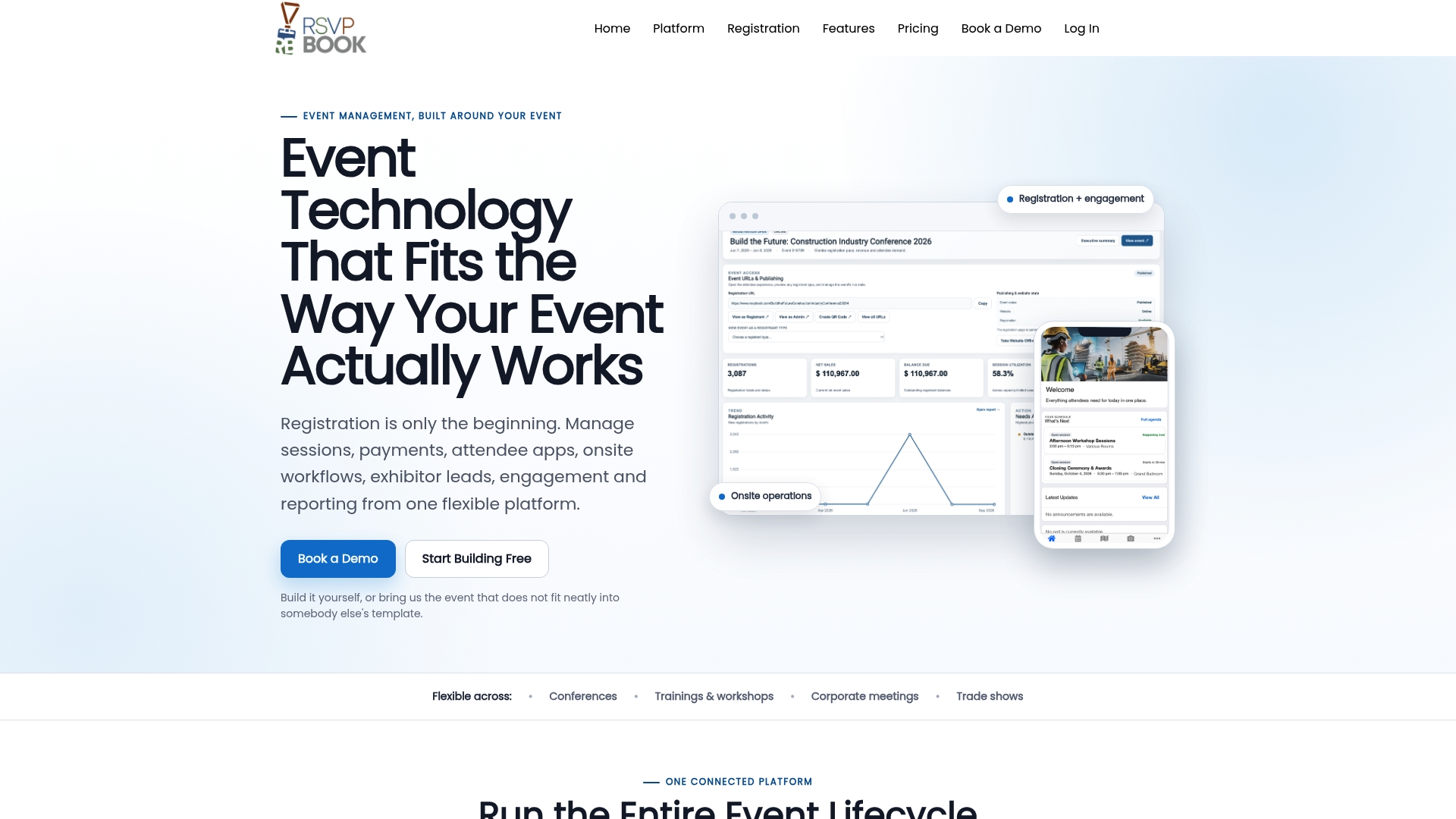
For trade shows and career fairs, add lead retrieval and booth giveaways so the same scan that gets people in also captures leads. Pricing is per registration, with discounted rates for nonprofits and government.
FAQ
Is there a free event check-in app with QR codes?
Yes. rsvpBOOK offers QR code event check-in free on any smartphone. Registrants receive a unique QR code, and your staff scan it with their own phones. Kiosk+ and badge printing hardware are optional add-on rentals.
How do I speed up check-in for a large event?
Send QR codes in advance, split the door into scan, kiosk and help lanes, and add scanners to match your peak arrival rate. Print badges on demand rather than ahead of time. Watch the live attendance count so you can move staff to the longest line.
Do I need special hardware to scan QR codes?
No. Any smartphone can scan with rsvpBOOK. Hardware only comes into play if you want self check-in kiosks or badge printing, and both are optional add-on rentals.
Can a check-in app track attendance by session?
Yes. rsvpBOOK supports attendance tracking for events and workshops, so you can record who attended each session. That is useful for trainings and CE credits.
How much does rsvpBOOK cost?
Pricing is per registration, with discounted rates for nonprofits and government organizations. Standalone booth giveaway tools start at $99 per event. Book a demo to get a quote for your event.
Sources
Ready to see it work on your event? Book a demo or start building an event free.
Planning an event that doesn’t fit neatly into somebody else’s template? See how rsvpBOOK handles registration, onsite check-in, lead retrieval and engagement in one platform. Book a demo: https://www.rsvpbook.com/book-a-demo