Start with name and email. Add every other question only if the answer changes pricing, logistics or the attendee’s experience. That one rule keeps a registration form short, and it keeps the data you collect useful.
This guide covers the questions most events need, the ones that depend on event type, and how to handle accessibility, dietary, payment and group details. It also covers what belongs in a post-event survey instead.
TL;DR
- Require only name and email. Make everything else optional unless you truly cannot run the event without it.
- Ask a question only when the answer affects price, logistics, sessions, safety or the attendee experience.
- Use open text for dietary needs and give accessibility requests a clear deadline.
- Match the form to the event: conferences, nonprofit events, trade shows and career fairs each need a few extra fields.
- Save feedback questions for a post-event survey, and plan to test the form before it goes live.
Table of Contents
- The core questions every form needs
- Questions that depend on your event
- Accessibility, dietary and other accommodations
- Payment, billing and organization details
- Group and table registration questions
- Questions by event type
- How many questions is too many?
- Registration form or post-event survey?
- Our view on registration forms
- Build the form once, use it through event day
- FAQ
- Sources
The core questions every form needs
The baseline is small. Checkout Page recommends starting with name and email and adding other questions only when the answers affect pricing, logistics or the attendee experience. Qualtir makes the same point: always collect full name, email, and whether the person is attending in person or virtually, if both options exist. It suggests marking name and email as required and leaving the rest optional to keep friction low.
A practical starting set:
- First and last name
- Email address
- Attendance type (in person or virtual), when you offer both
- Ticket or registrant type, when prices or access differ
- Phone number, optional
Every extra required field gives a visitor one more reason to leave. Before adding a question, ask who will read the answer and what they will do with it. If nobody has a use for it, cut it.
Questions that depend on your event
Some questions earn their place only for certain events. Checkout Page lists event-dependent categories: ticket and pricing options, dietary and allergy information, accessibility needs, session choices and emergency contacts.
A university example shows the pattern. The University at Buffalo School of Management’s sample conference form asks for name, email, telephone, institutional affiliation or company, which days the person will attend, dietary restrictions, accessibility accommodations, hotel needs and parking pass requirements. Each field maps to something the organizer has to arrange.
Use that logic as a filter:
| Question | Ask it when | Who uses the answer |
|---|---|---|
| Company or job title | You sell sponsor packages, run networking or segment follow-up | Sales, marketing |
| Days attending | The event spans several days | Catering, staffing |
| Session or workshop choice | Seats are limited or sessions run in parallel | Program team |
| Hotel needs | Attendees travel in | Housing coordinator |
| Parking | Parking is limited or permit-based | Venue, operations |
| Emergency contact | Activities carry physical risk or involve minors | Safety lead |
| How they heard about the event | You want to know which channel works | Marketing |
If a row does not apply to your event, leave the question off.
Accessibility, dietary and other accommodations
These questions matter most for the attendee’s experience and are the ones organizers most often word poorly.
Dietary restrictions
The DISCOVER Cookbook recommends an open text box rather than a fixed list. A list misses cases you did not think of. Some templates offer options instead: the SurveyMonkey event registration template includes vegan, vegetarian, gluten-free, lactose-free, religious dietary restrictions and food allergies. A good compromise is a short checklist plus an “Other, please describe” field, so the caterer gets specifics.
If you serve food, say so on the form and tell people who will see their answers.
Accessibility
The same cookbook suggests describing the accessibility services you already offer on the form, asking registrants whether they need anything additional, and giving a deadline for requests. The deadline matters. A sign language interpreter, captioning or an accessible seating plan cannot be arranged the day before.
A simple version:
- State what the venue and program already provide.
- Ask: “Do you need any accommodations to participate fully?” with a free-text box.
- Give a date by which requests are guaranteed, and name a person to contact.
The form itself should also work for everyone. Test it with a keyboard and a screen reader before you publish, and keep labels clear and plain.
Financial help and childcare
If you offer scholarships, grants or onsite childcare, ask about it at registration. The DISCOVER Cookbook gives the example of asking whether someone would want a grant to cover childcare, then which option would help most. Asking early lets you plan the budget and the room.
Payment, billing and organization details
Only ask for billing details when they change how the person pays. The usual fields:
- Ticket type (general, member, student, VIP, staff)
- Registering as an individual or for an organization
- Promo or discount code
- Whether an invoice is needed, and the billing contact
Keep these in the order people expect: choose the ticket, apply the code, then pay. Do not make anyone enter company details they do not need. A member discount, for example, needs a member ID or a code. A general ticket does not.
In rsvpBOOK, organizers can set up custom registration forms with their own questions and registrant types, along with discounts and payment management. That lets one form show different questions to different registrant types, so a student never sees the corporate billing fields.
Group and table registration questions
When a company buys several seats, one form per person is a poor fit. A group flow works better. Ask:
- How many people are you registering?
- Who is the primary contact for the group?
- What are the names and emails of each attendee?
- Does anyone in the group need accommodations or have dietary needs?
Collecting each attendee’s name matters for badges and session assignments. If you cannot get every name up front, let the primary contact add names later. rsvpBOOK supports group and table registration, so a buyer can register a team or fill a table without sending organizers a spreadsheet.
Questions by event type
Corporate events and training
Corporate planners usually need company, department or job title, session choice, and sometimes a manager’s approval or a cost center for billing. For training, add the courses or workshops people want. If attendees earn continuing education credits, ask for the license or certification number the credit will be reported against, but only if you issue credits. rsvpBOOK handles sessions and workshops with CE credits, so session selection and credit tracking can live in the same record as registration.
Nonprofit and community events
Nonprofits often need donation options, volunteer interest, scholarship requests and consent items such as photo permission. Keep the form friendly and short, since many registrants are first-timers. Tickets, payment and group sign-ups are the areas where small organizations get stuck, and this guide on nonprofit event registration setup covers that ground from a website angle. rsvpBOOK offers event registration software for nonprofits and discounted rates for nonprofit and government organizations.
Churches have their own patterns, such as family registrations and ministry choices. The church event registration page shows how that is handled.
Trade shows and conferences
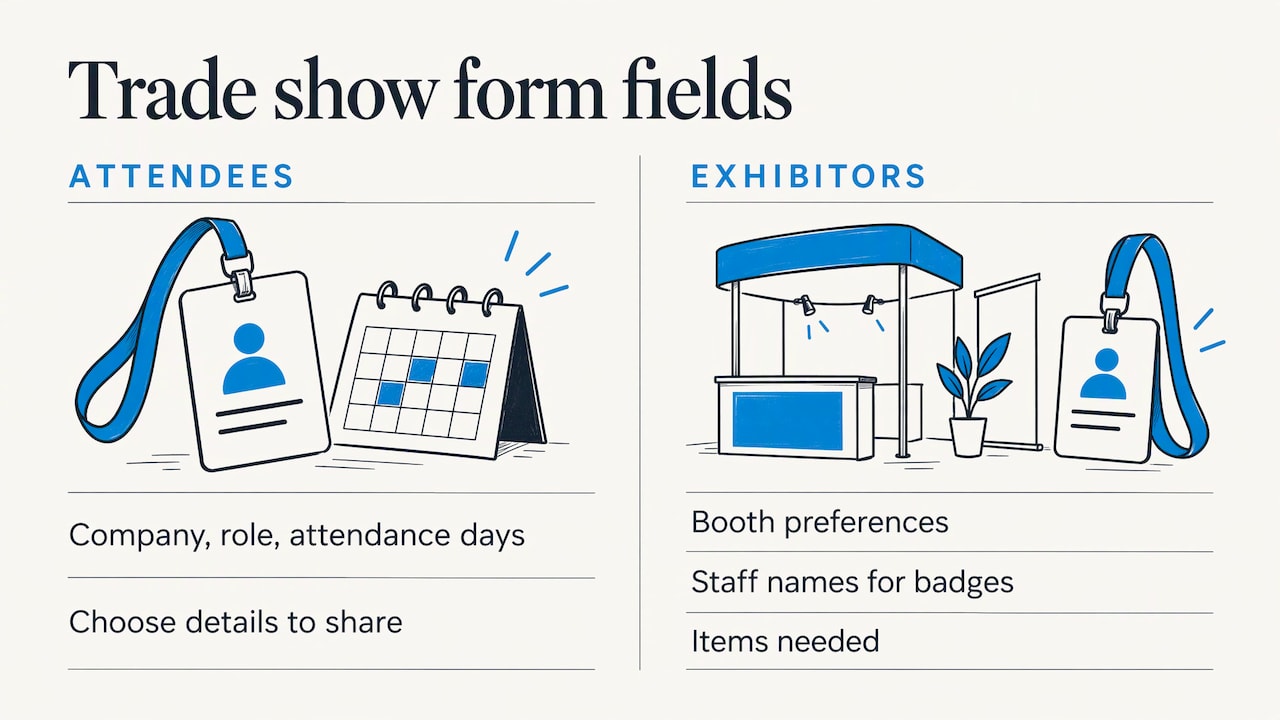
Exhibitor and attendee forms differ. For attendees, ask for company, role and the days they plan to attend. For exhibitors, ask about booth preferences, staff names for badges and any items they need. For trade shows, lead capture is the main payoff for exhibitors, so ask attendees for the details they are comfortable sharing with exhibitors, and make that sharing clear on the form.
rsvpBOOK includes lead retrieval for exhibitors and organizers, interactive booth maps with booth sales, and booth giveaways. Giveaways use an Instant Prize Wheel or a live Winner Drawing, and they turn booth visits into qualified leads. The trade show prize wheel page explains both formats. Standalone booth giveaway tools start at $99 per event.
Career fairs
For career fairs, the form should help recruiters meet candidates, not just count heads. Ask candidates for school or current employer, graduation date or experience level, field of interest and the roles they want. Recruiters then know who is at the booth and why. A prize wheel or drawing at the booth also draws traffic and gives recruiters a natural moment to capture a candidate’s details.
Hotel room blocks
If attendees travel, ask about arrival and departure dates, and room preferences, only when you manage a block. Room block management in rsvpBOOK keeps those requests tied to the registration.
How many questions is too many?
There is no magic number, but the direction is clear: fewer is better. Treat every required field as a cost. A workable method:
- List every question you are considering.
- Mark each one “must have to run the event”, “useful for planning” or “nice to know”.
- Require only the first group. Make the second optional. Cut the third.
- Use conditional logic where the form allows it, so people only see questions that apply to them.
- Group related questions under short headings, and show the ticket choice early.
Then test it. Fill out the form on a phone, on a laptop, as a group buyer and as someone using a promo code. Check the confirmation email and make sure it states the registration status clearly.
Registration form or post-event survey?
A registration form collects what you need to run the event. A survey collects opinions after. If the answer helps you plan, it goes on the form. If it measures how the event went, it goes in the survey.
- Form: contact details, ticket type, session choices, accommodations, billing, consent.
- Survey: satisfaction, session ratings, speaker feedback, what to change next year.
A few items can go on both. Asking “What do you hope to learn?” at registration and “Did you learn it?” afterward gives you a before-and-after view. rsvpBOOK includes registrant surveys for the second step, tied to the same registrant record.
Our view on registration forms
We have supported event organizers since 2004, and the same pattern shows up in almost every event we see. The form grows because every team adds one question, and nobody removes one.
Our advice is to treat the registration form as the start of the event record, not a stand-alone page. A name, a registrant type, a session choice and a payment should all land in one place, so the person running check-in sees the same answers as the person ordering meals.
That is why rsvpBOOK connects registration, payments, sessions, onsite operations, exhibitor programs and reporting in one record. It is designed to give organizers flexible configuration for complex events without the complexity of enterprise platforms, and it works as a flexible alternative to enterprise event platforms.
Our pricing is per registration, with discounted rates for nonprofits and government. We also offer hands-on implementation support for events that need it, and an AI-assisted builder that turns an event design document into a working setup.
Droshawn
Build the form once, use it through event day
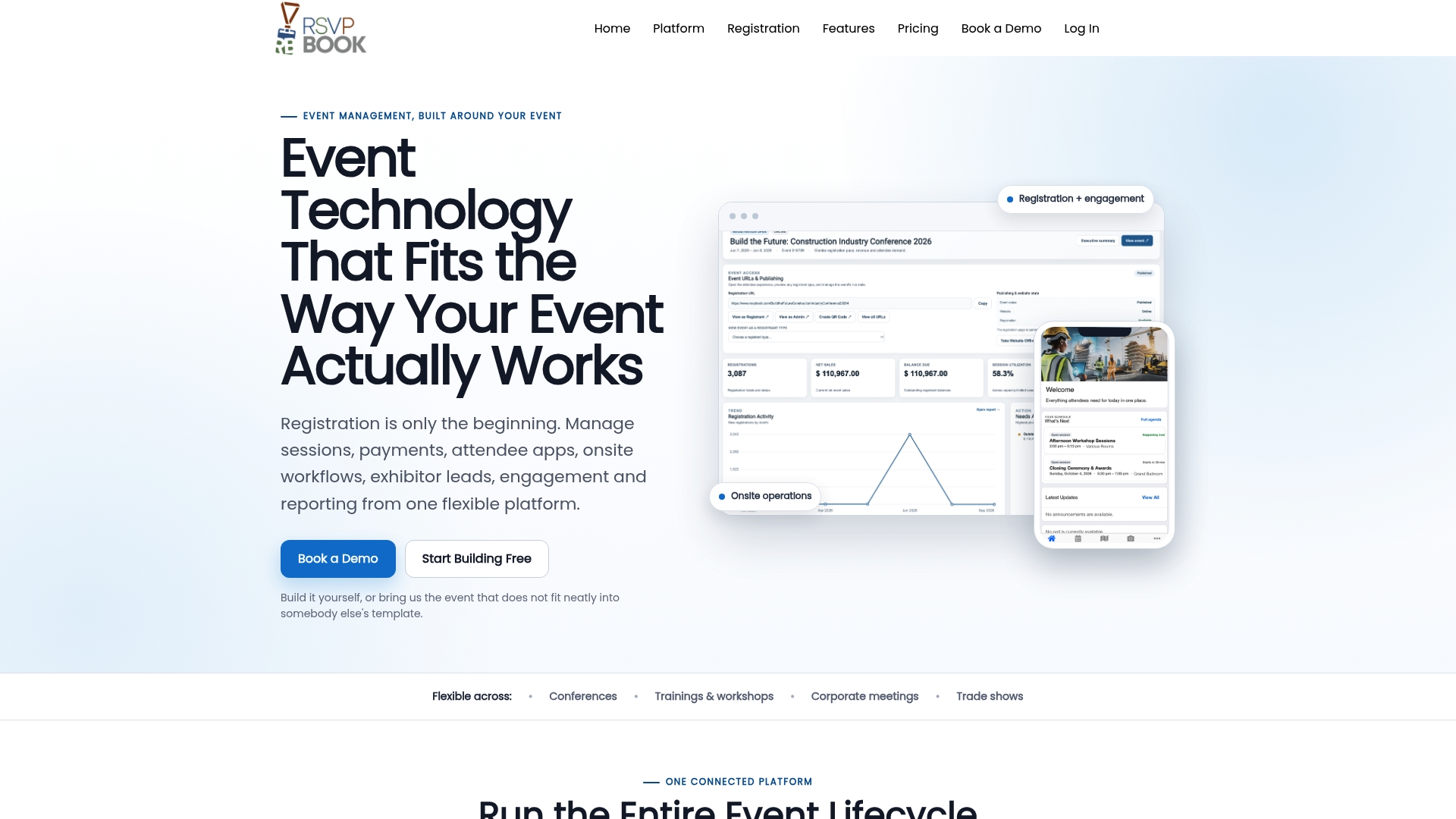
Good questions only pay off when the answers carry through to the event. With rsvpBOOK, the answers collected at registration feed what happens next: session assignments, badges, QR check-in and custom reports.
Organizers build a branded registration site with custom questions, registrant types, group and table registration, discounts, sessions, appointments and surveys. On event day, QR check-in works on any smartphone at no extra cost. Kiosk+ self check-in and custom name badges are also available, and badge printing and check-in kiosk hardware are optional add-on rentals. One customer moved 2,600+ attendees through check-in with QR scanning.
If you want help setting up the form, our team provides hands-on implementation support. See the full event registration software overview or the event management features list.
Ticketing details are on the event ticketing page.
FAQ
What are the most important event registration questions?
Name and email come first. After that, ask only what affects price, logistics or the attendee experience: ticket type, attendance type, session choice, dietary needs and accessibility requests. If you will not act on an answer, leave the question off.
Should dietary restrictions be a list or an open field?
An open text box catches cases a list misses, and the DISCOVER Cookbook recommends it. Many organizers combine a short checklist of common needs with an “Other” field. Tell registrants who will see the answers and whether you can accommodate every request.
How do I ask about accessibility needs?
Describe what the venue and program already provide, then ask whether the registrant needs anything additional. Set a deadline for requests and name a contact person. Give attendees a way to ask even after the deadline, since some needs surface late.
What extra questions suit trade shows and career fairs?
For trade shows, ask attendees for company, role and consent to share details with exhibitors, and ask exhibitors for booth preferences and staff names. For career fairs, ask candidates for school or employer, experience level and the roles they want, so recruiters can follow up with focus.
Does rsvpBOOK charge per registration?
Yes, rsvpBOOK pricing is per registration, with discounted rates for nonprofits and government. Specialized modules such as lead retrieval and booth giveaways are priced separately. Standalone booth giveaway tools start at $99 per event. Check the pricing page for details.
Sources
- Event registration questions: What to ask, and why (Checkout Page)
- Event Registration Form Sample Questions (University at Buffalo School of Management)
- Google Forms for Event Registration (Qualtir)
- Event Registration (DISCOVER Cookbook)
- Event Registration Form Template (SurveyMonkey)
- Nonprofit Event Registration: How to Set It Up Well (Grayson Morgan Creative)
Ready to build your form? Book a demo or start building an event free.
Recommended
- Event Registration Software for Conferences
- Event Registration Forms
- Best Event Registration Software for Nonprofits in 2026
- Event Registration Software for Nonprofits
Planning an event that doesn’t fit neatly into somebody else’s template? See how rsvpBOOK handles registration, onsite check-in, lead retrieval and engagement in one platform. Book a demo: https://www.rsvpbook.com/book-a-demo
