
The best way to track event attendance depends on event size and on what you need to prove afterward. A paper sign-in works for a small meeting. Larger events, multi-session conferences and anything tied to continuing education credits call for digital check-in, such as QR scanning, with a record that lives in the same place as your registration data.
This guide covers the main methods, how to track individual sessions, what CE providers need to document, and how to pick an approach that fits your budget and your attendees.
TL;DR
- Manual sign-ins suit small, informal gatherings. They slow down and lose accuracy as events grow.
- QR code check-in is the practical step up for most organizers, because attendees already carry the scanner: a smartphone.
- Session-level tracking matters when you award CE credits or need to know which workshops filled up and who actually attended.
- CE rules vary by credentialing body and state, so confirm the monitoring and record-retention requirements for your audience before the event.
- Attendance data is most useful when it connects to registration, payments and reports in one record.
Table of Contents
- Why attendance data is more than a headcount
- Four ways to track event attendance
- How to track attendance at sessions and workshops
- Tracking attendance for CE credits
- What attendance data and reports are worth having
- Choosing a tracking method
- Special cases: trade shows and career fairs
- Our perspective
- Put attendance tracking to work with rsvpBOOK
- FAQ
- Sources
Why attendance data is more than a headcount
A headcount tells you how many people came. Attendance tracking tells you who came, when they arrived, which sessions they joined and who registered but never showed up.
That difference drives real decisions:
- Staffing and room setup: knowing arrival patterns helps you plan registration desks and room capacity.
- Sponsor and exhibitor reporting: verified attendance is stronger than registration numbers.
- Credit and compliance: training and CE providers need proof of participation.
- Follow-up: you can send different messages to people who attended and people who did not.
- Next year’s planning: show-up rate against registrations shapes catering, venue and budget.
Four ways to track event attendance
Manual sign-in sheets and checklists
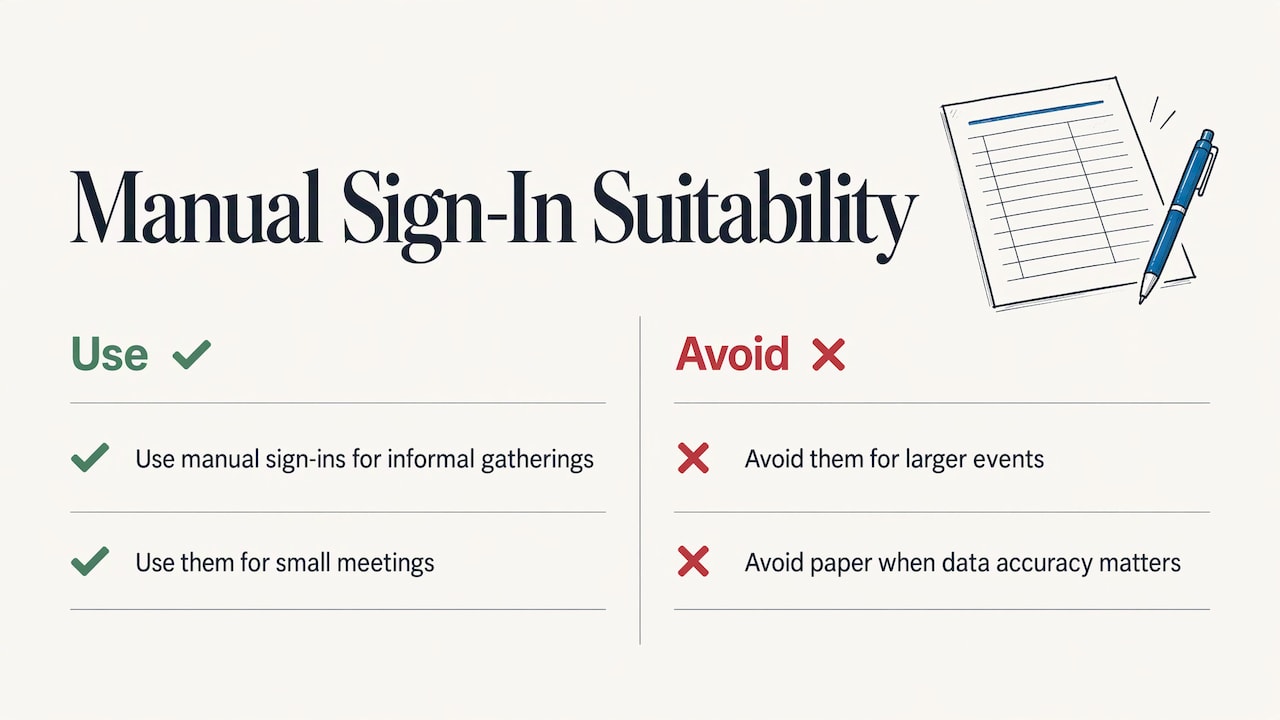
The oldest method is still fine for the right event. According to TickPick’s overview of attendee tracking, manual sign-ins are best suited to informal gatherings or small meetings. For larger events they become inefficient and unreliable, and paper systems add to wait times and reduce data accuracy.
The practical problems are easy to picture: illegible handwriting, names that do not match the registration list, and someone typing it all into a spreadsheet afterward.
QR code check-in
Each registrant receives a unique QR code, usually in a confirmation email or on a mobile ticket. Staff scan it at the door with a smartphone, and the record updates right away.
This is where most organizers land, because it needs no special equipment. rsvpBOOK offers QR code check-in that is free on any smartphone. One rsvpBOOK customer moved more than 2,600 attendees through check-in with QR scanning.
Self check-in kiosks
Kiosks let attendees check themselves in, which takes pressure off the staffed desk at peak arrival times. rsvpBOOK’s Kiosk+ handles self check-in, and name badges can be printed on the spot with custom designs. Badge printing and check-in kiosk hardware are optional add-on rentals, so you can add them only when the event calls for them.
Wearables and other scan technology
The same TickPick overview lists RFID and NFC technology alongside QR scanning and event management software as digital options. These add hardware and cost, so they tend to make sense at very large or high-security events. For most conferences, workshops and trade shows, QR scanning covers the need.
Quick comparison
| Method | Best for | Main limit |
|---|---|---|
| Paper sign-in | Small meetings, informal gatherings | Slow, error-prone, manual data entry |
| QR scan by staff | Most conferences, workshops, fundraisers | Needs a reliable way to scan and sync |
| Self check-in kiosk | High arrival peaks, large registration lists | Kiosk and printer hardware to arrange |
| RFID or NFC | Very large or access-controlled events | Added hardware and cost |
How to track attendance at sessions and workshops
Door check-in answers one question: did this person arrive? Multi-track events need a second layer: who went to which session?
A workable setup has four parts.
- Registration by session. Let people pick sessions and workshops when they register, with capacity limits, so your expected roster for each room exists before the event.
- A scan at each session. Staff or volunteers scan badges or QR codes at the room entrance. For credit-bearing sessions, consider scanning at both entry and exit.
- A reconciled roster. Compare registered, scanned and walk-in attendees so the final list shows who actually attended.
- A report you can export. Session attendance by name, with times, is what you hand to a credentialing body or a sponsor.
rsvpBOOK’s sessions and workshops tools cover registration for sessions, workshops and CE credits. Its event and workshop attendance tracking keeps check-in tied to the same registration record.
For events that run on a mobile app, the attendee mobile app gives attendees personalized agendas and messaging, which helps them find the sessions they signed up for.
Tracking attendance for CE credits
If you issue continuing education credit, tracking is not optional housekeeping. It is the evidence behind every certificate you issue. The rules differ by profession and state, so treat the examples below as a sample of what regulators ask for, then check your own accrediting body.
Accounting (CPE). The NASBA Registry requires CPE sponsors to monitor group participants using methods such as sign-in and sign-out logs, proctors, stickers, code submissions or barcode scanning. Sponsors must also retain documentation for each program for at least five years. That includes participation records, dates and locations, instructor names and credentials, credits earned and evaluation results.
For technology-delivered group programs, the 2026 NASBA Standards say verification prompts must occur at least three times per 50-minute credit hour and must not be predictable. Self-certification alone is not sufficient.
State examples. New Jersey’s Licensed Site Remediation Professional Board requires in-person providers to use sign-in and sign-out sheets and keep them for at least seven years. Minnesota’s webinar guidelines call for a provider representative to monitor attendance throughout, keep an electronic roster with log-in and log-out times, and use at least two polling or verification responses at unannounced intervals per one-hour session.
The pattern across these examples is consistent:
- Record arrival and departure, not just arrival.
- Verify participation in a way attendees cannot simply self-report.
- Keep complete records for years, not months.
- Be able to produce a roster by session on request.
A system that stores check-in, session registration and credits in one record makes that last point far easier than reconciling spreadsheets.
What attendance data and reports are worth having
Collecting scans is half the job. These are the reports that earn their keep:
- Registered vs. attended, overall and by registrant type, so you see which groups no-show.
- Arrival times, to plan desk staffing and start times.
- Session attendance and fill rate, to decide which topics and rooms to repeat.
- Attendee-level history, for credit certificates and sponsor follow-up.
- Check-in exceptions, such as duplicate scans or unregistered walk-ins.
rsvpBOOK offers custom reports and automated alerts, so the people who need the numbers can get them without a manual export each time.
Choosing a tracking method
Use these criteria to narrow down your options.
Event size and format
Under a few dozen people, a printed list can do the job. At several hundred, or when arrivals bunch up, digital check-in saves real time. For multi-day, multi-session events, plan for session-level scans from the start.
Accuracy and proof requirements
If anyone will audit your records, such as a credentialing body or a grant funder, pick a method that stores timestamps and produces a roster by session. Many project teams also compare general planning software to replace manual sign-in sheets with accurate digital records, and a roundup of project management tools for event planners can help with the planning side of the same effort.
Cost and hardware
Smartphone scanning keeps equipment costs low. Kiosks, badge printers and similar hardware add cost, so decide whether your arrival volume justifies them. With rsvpBOOK, pricing is per registration, and badge printing and kiosk hardware are optional add-on rentals.
Attendee experience
Short lines and clear instructions matter more than the technology. Send the QR code ahead of time, offer a self check-in option for peak hours, and keep a staffed desk for people who need help.
Privacy and data handling
Collect only what you need, tell attendees why you are scanning, and limit who can see the roster. If you scan at sessions, say so in your registration materials.
Fit with the rest of the event
Attendance tracking that sits apart from registration means exporting and merging files. Tracking that shares a record with registration, payments and reporting avoids that step.
Special cases: trade shows and career fairs
At a trade show, attendance has two audiences: the organizer, who counts visitors, and exhibitors, who want leads. rsvpBOOK’s lead retrieval lets exhibitors capture visitor scans at the booth. Booth giveaways, an Instant Prize Wheel or a live Winner Drawing, give visitors a reason to stop and be scanned. Standalone booth giveaway tools start at $99 per event.
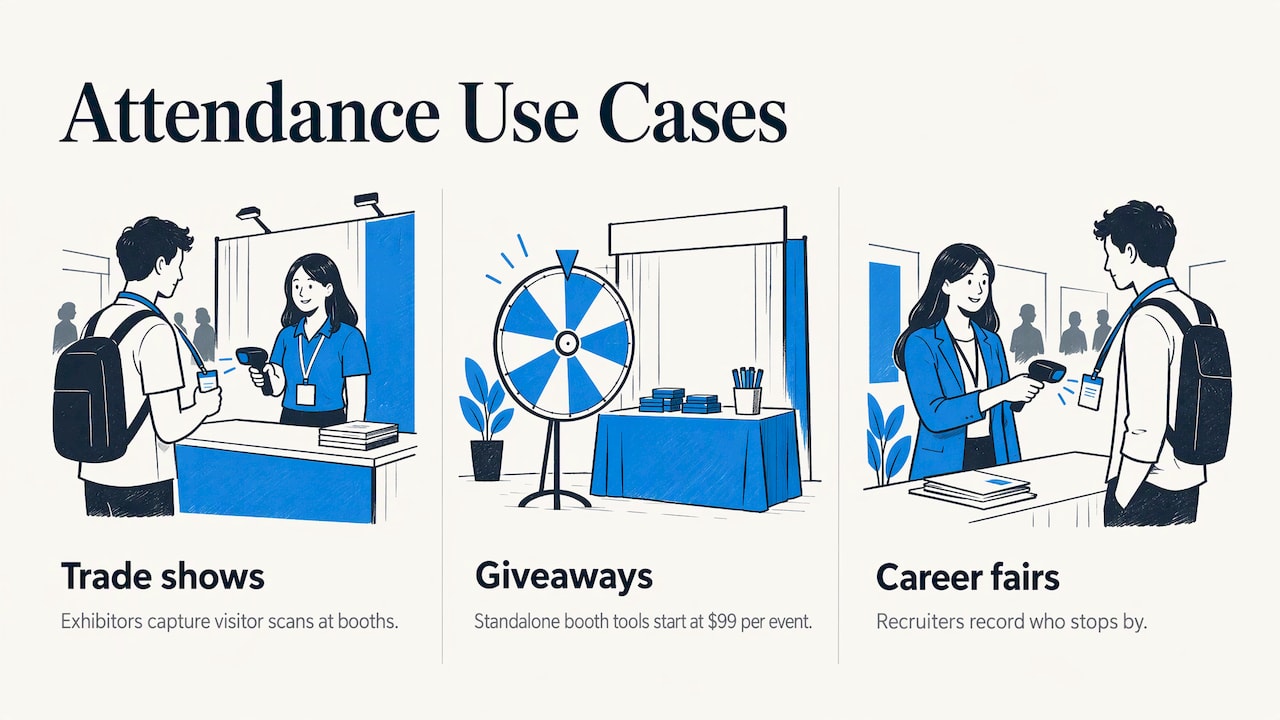
At a career fair, recruiters care about candidate capture and booth traffic. The same scanning approach lets a recruiting team record who stopped by, and giveaways help draw candidates to the booth.
Our perspective
Most attendance problems we see begin before the event. Registration lives in one tool, check-in in another, and session sign-ups in a spreadsheet. On event day, nobody can say with confidence who is in the room.
We built rsvpBOOK around one record for every stage of an event: registration, payments, sessions, onsite operations, engagement and reporting. When a person checks in, that scan lands in the same record that holds their registration, their workshop choices and their credits. Reports are not a separate project.
We have supported event organizers since 2004, and we know that no two events are alike. Some teams want to set everything up themselves. Others want hands-on implementation support, and we offer that. Our goal is flexible configuration for complex events, without the weight of an enterprise platform. Organizers who are weighing larger enterprise event platforms often tell us they want exactly that balance.
Pricing is per registration, and nonprofits and government organizations get discounted rates.
Droshawn
Put attendance tracking to work with rsvpBOOK
rsvpBOOK connects event registration, check-in, sessions and reporting in one place. Organizers can build a branded registration site, send QR codes to registrants, check people in with any smartphone and review attendance in custom reports. The event management software also includes an AI-assisted builder that turns an event design document into a working setup.
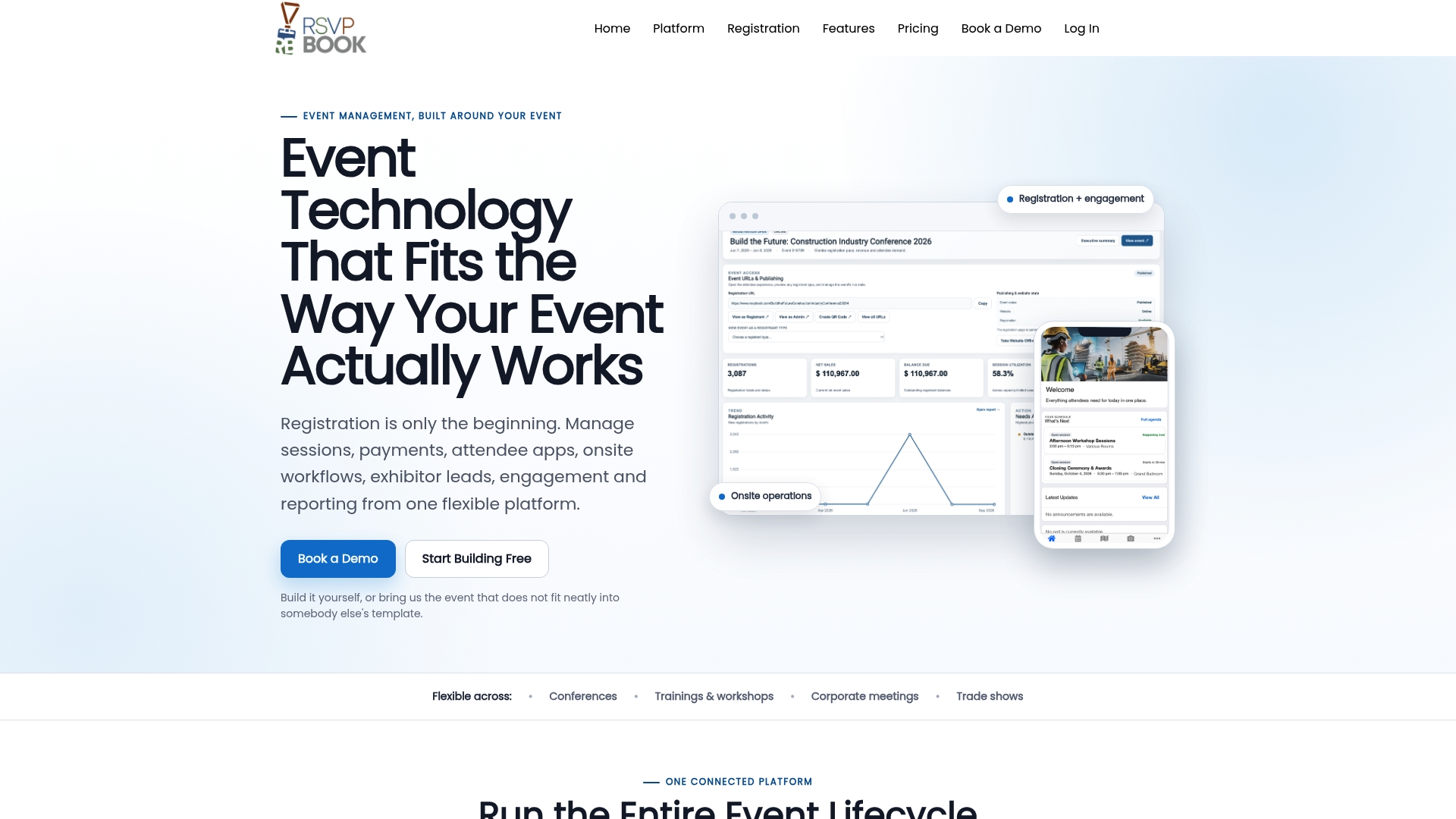
You can set up the event yourself or bring in our team for hands-on implementation support. Pricing is per registration, with discounted rates for nonprofits and government. Badge printing and kiosk hardware are optional add-on rentals.
FAQ
What is the easiest way to track event attendance?
For most events, QR code check-in with a smartphone is the easiest. Registrants get a unique code in advance, and staff scan it at the door. That removes handwriting and manual data entry, and the attendance list updates as people arrive.
How do I track attendance at individual sessions?
Have attendees register for sessions ahead of time, then scan badges or QR codes at each room. Afterward, reconcile registered, scanned and walk-in attendees into one roster. If the session carries credit, record both arrival and departure.
How do I track CE attendance?
Follow the rules of your credentialing body. For example, NASBA requires CPE sponsors to monitor participants and keep records for at least five years, and some states set their own sign-in or verification rules. Keep a roster by session with times, and confirm requirements with the accrediting body before the event.
Do I need special hardware to check people in?
Not for QR scanning, which works on a smartphone. Hardware such as kiosks and badge printers is useful at larger events. With rsvpBOOK, check-in kiosk hardware and badge printing are optional add-on rentals.
Is attendance tracking software worth it for a nonprofit?
It can be, especially when volunteers handle check-in and you need clean numbers for funders. rsvpBOOK prices per registration and offers discounted rates for nonprofits and government organizations.
Sources
- How to Track Attendees at Your Event (TickPick)
- CPE provider responsibilities: attendance monitoring and record keeping (NASBA Registry)
- Completion Verification, Group (NASBA Registry, 2026 Standards)
- Policy Statement on Documenting Continuing Education Credit (New Jersey LSRP Board)
- Minnesota General Webinar Guidelines, Continuing Education (Minnesota Department of Commerce)
- 7 Best Project Management Tools for Event Planners
Ready to see it in action? Book a demo or start building an event free.
Recommended
- Event and Workshop Attendance Tracking
- Easy Event Reporting
- Advanced QR Code Solutions for Corporate Events | Elevate Your Annual Conference Experience
Planning an event that doesn’t fit neatly into somebody else’s template? See how rsvpBOOK handles registration, onsite check-in, lead retrieval and engagement in one platform. Book a demo: https://www.rsvpbook.com/book-a-demo
