
Attendee networking technology is the set of tools that helps people at your event find each other, talk, meet and keep in touch afterward. That means an attendee app with messaging, meeting scheduling, QR contact exchange, engagement games and the reports that show what worked.
The best setup is usually not a separate networking add-on. It is one system where registration, the agenda, check-in, messaging and reporting share the same attendee record. rsvpBOOK has supported event organizers since 2004 and is built around that idea, with pricing per registration and hands-on implementation support when an event needs it.
TL;DR
- Networking technology covers messaging, meeting scheduling, directories, QR contact exchange and games that give people a reason to talk.
- In-person events connect people more efficiently than virtual ones in one peer-reviewed study (40% vs. 22%), so plan structured touchpoints for virtual guests.
- Tools work best when they draw on registration data, so attendees see the right people and sessions without re-entering anything.
- Measure networking with messages, meeting attendance, scans and survey results, not just headcount.
- rsvpBOOK keeps registration, the mobile app, onsite check-in, engagement tools and reports in one record.
Table of Contents
- What attendee networking technology actually does
- Networking activities technology can support
- Tools that help attendees meet and swap details
- Attendee messaging: what to plan before you switch it on
- In-person, virtual and hybrid: where networking differs
- Networking by audience
- Engagement tools that make people talk
- How to measure whether networking is working
- A practical rollout in six steps
- Why one connected system helps
- Put it to work with rsvpBOOK
- FAQ
- Sources
What attendee networking technology actually does
Most people go to events to meet someone. Few leave with the names they hoped for. Networking technology closes that gap in three ways:
- It helps people find each other. Directories, agendas and registrant types tell attendees who is in the room.
- It gives them a way to start. Messaging, meeting requests and shared activities lower the cost of the first hello.
- It keeps the connection alive. Contact exchange and exported data carry the conversation past the closing session.
For a busy planner, the question is not which tool is most novel. It is which combination your attendees will actually use without a tutorial.
Networking activities technology can support
The University of Tennessee’s Conferences & Events team lists one-to-one meetings, meeting hubs, attendee messaging, dinner-table invitations, social walls and gamification among the interaction features an event app can carry. An independent event-technology guide adds virtual lounges, breakout rooms, and communication through text, video and group chat for online formats.
In practice, those break down into a handful of formats:
- Scheduled one-to-one meetings. Good for buyers and sellers, mentors and mentees, recruiters and candidates.
- Table and group formats. Seated dinners, roundtables and workshops where the assignment itself creates the conversation.
- Open messaging. Quick questions, “where are we meeting” notes and session follow-ups.
- Activity-driven mixing. Scavenger hunts, trivia and prize drawings that send people to booths and into each other.
- Booth conversations. Exhibitors scanning badges and capturing lead details.
Tools that help attendees meet and swap details
The same Tennessee page describes networking features that let attendees contact one another, schedule meetings and message other attendees, exhibitors and sponsors, including virtual attendees. The independent guide describes in-person options such as mobile directories, meeting scheduling, QR or NFC contact exchange and proximity-based wearables.
Here is how that maps to what rsvpBOOK offers organizers today.
| Networking need | What it looks like at the event | rsvpBOOK feature |
|---|---|---|
| Know who is coming | Registrant types, custom questions, group and table registration | Event registration |
| Plan the day | Personalized agendas and messaging on a phone | Attendee mobile app |
| Book time with someone | Scheduled slots for meetings or consultations | Appointments |
| Arrive without a line | QR check-in on any smartphone, Kiosk+ self check-in | Onsite check-in |
| Talk to exhibitors | Exhibitor and organizer lead retrieval | Lead retrieval |
| Find the booth | Interactive booth maps | Interactive floor plans |
| Give people a reason to mingle | Gamification, scavenger hunts, trivia | Pricing and modules |
Note that QR check-in is free on any smartphone, so attendees do not need to download anything special to be scanned in. Custom name badges and Kiosk+ self check-in are available too. Badge printing and check-in kiosk hardware are optional add-on rentals.
Attendee messaging: what to plan before you switch it on
Messaging is the simplest networking tool and the one that most needs a plan. rsvpBOOK’s mobile app includes personalized agendas and messaging, and SMS reminders are available as an engagement tool.
Three decisions make the difference:
- Who can message whom. Decide up front whether attendees can reach other attendees, exhibitors and sponsors, or only organizers. Tennessee’s description of its own app notes that attendees can direct-message other attendees, exhibitors and sponsors, which is a useful model of the range.
- What you send yourself. Organizer messages should be few and useful: room changes, session starts, a reminder about the evening reception. SMS reminders work best for time-sensitive items.
- What you do with the data. If messages and meeting requests are logged, they become a measure of engagement. Decide in advance what you will review afterward.
For public-sector and association events, keep the audience rules simple and documented. A clear registrant list and attendance record also supports compliance-friendly reporting.
In-person, virtual and hybrid: where networking differs
A peer-reviewed study in PNAS Nexus, published November 21, 2024, compared four in-person and five virtual conferences. In its sample, in-person conferences showed 40% connecting efficiency, against 22% for virtual ones. It also found that formal interaction mattered more for team formation in virtual settings, while informal interaction played a bigger role in person.
What that suggests for planners:
- In person: leave room for informal moments, and let technology handle logistics: check-in, agenda, booth maps, messaging. Scavenger hunts and prize drawings create the informal encounters.
- Virtual and hybrid: do not rely on chance. Give remote attendees structured moments: scheduled meetings, moderated group chats, breakout sessions, and a clear way to message speakers and sponsors.
If you are building a virtual lounge or breakout structure, your planning work benefits from a solid task system as well. These project management tools for event planners can help you keep session owners, deadlines and follow-ups in one place.
Networking by audience
Different events need different tools. Here is where each kind of planner tends to start.
Trade shows and exhibitors
The networking that pays here happens at the booth. Exhibitor and organizer lead retrieval turns scans into a usable lead list. Booth giveaways add a reason to stop: an Instant Prize Wheel or a live Winner Drawing turns booth visits into qualified leads. Standalone booth giveaway tools start at $99 per event. Interactive booth maps, and booth sales, help attendees plan a route and help organizers sell space.
Career fairs
Recruiters care about candidate capture and booth traffic. Scanning a candidate’s badge records the contact. A prize wheel or drawing draws students toward the table, and the lead list gives the recruiter a follow-up list. rsvpBOOK’s booth giveaways are also used by recruiting teams at career fairs.
Associations and corporate meetings
Here networking is about members finding peers. Registrant types and custom questions let you capture role, interests or region at sign-up. Sessions and workshops, appointments, hotel room blocks and surveys sit alongside the networking tools, so the attendee deals with one site and one record.
Training and CE providers
Workshop assignments, sessions with CE credits and attendance tracking keep learners in the right room. Small-group sessions are themselves a networking format, and a record of who attended supports credit reporting.
Nonprofits and government
Budget and documentation drive the choice. rsvpBOOK offers discounted rates for nonprofits and government organizations, and pricing is per registration. For public-sector events, registration, attendance tracking and reporting give you a record that supports compliance reviews.
Engagement tools that make people talk
People rarely walk up to strangers without a prompt. A light structure gives them one.
- Scavenger hunts send attendees to sponsors and exhibitors and give them something to discuss on arrival.
- Trivia works well in a plenary or at a reception, because teams form on the spot.
- Gamification and leaderboards reward visits to sessions and booths.
- Big-screen prize drawings pull the whole room into one shared moment.
Keep the rules short. If an activity needs a long explanation, attendees will skip it.
How to measure whether networking is working
Technology is only worth keeping if you can see what it did. The independent guide says organizers can assess networking through connection requests, messages, meeting attendance, participation and post-event engagement data. It also frames analytics as a feedback loop: the data can show who was active, which topics drew people, and what value sponsors received.
Tennessee’s page adds two practical points: organizers can export contact data as CSV for a CRM or contact database, and surveys can quantify attendee experience.
A simple scorecard might include:
| Measure | Where it comes from |
|---|---|
| Check-in rate by registrant type | Onsite check-in |
| Session and workshop attendance | Attendance tracking |
| Booth scans per exhibitor | Lead retrieval |
| Prize wheel spins or drawing entries | Booth giveaways |
| Post-event satisfaction | Surveys |
rsvpBOOK offers custom reports and automated alerts, so these numbers come out of the same record as your registrations. For a deeper look at what to track, see event data analytics.
A practical rollout in six steps
- Define the goal. Leads for exhibitors? Peer connections for members? Candidate capture for recruiters? The goal picks the tools.
- Capture the right data at registration. Add custom questions and registrant types on your registration form, so later features have something to work with.
- Choose two or three tools, not ten. Messaging, an agenda and one activity is a strong start.
- Set the messaging rules. Decide who can contact whom and what organizers will send.
- Prepare onsite. Test QR check-in, decide whether you need badge printing or Kiosk+ (optional add-on rentals), and brief your staff.
- Review and export. Pull reports and survey results within days, while the event is still fresh.
One rsvpBOOK customer moved 2,600+ attendees through check-in with QR scanning. That kind of smooth arrival matters, because networking starts at the door.
Why one connected system helps
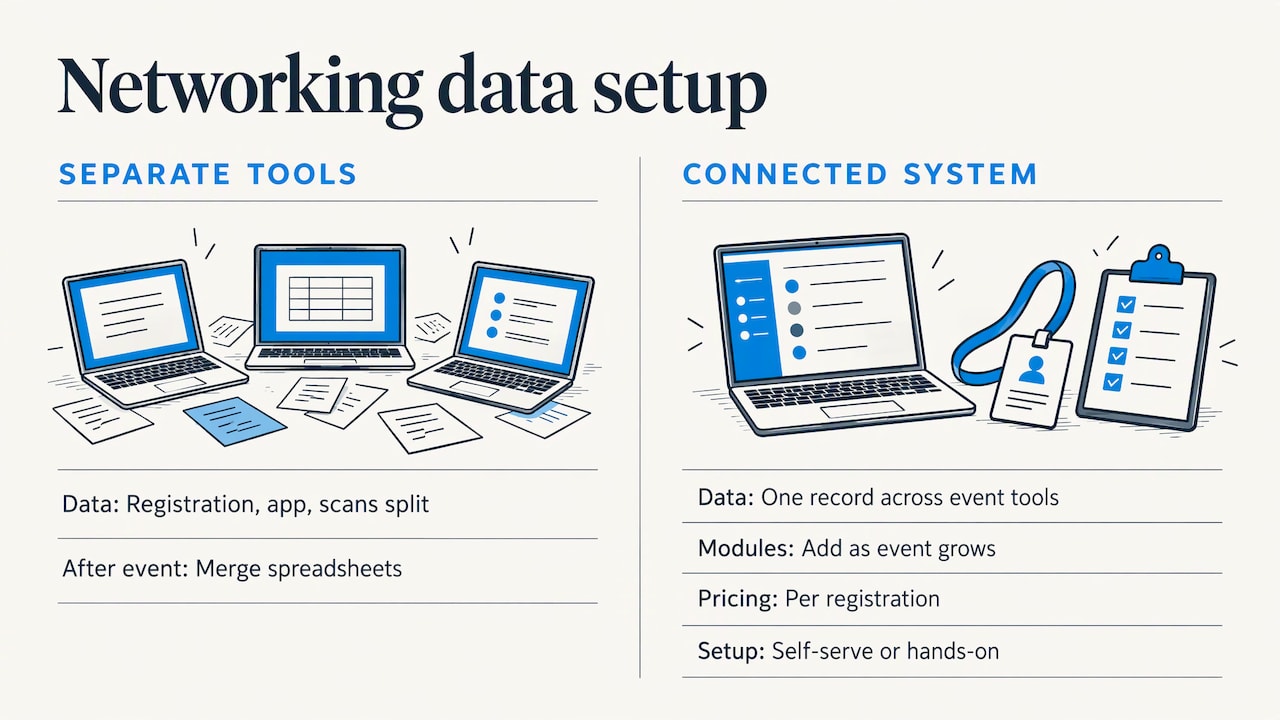
When registration lives in one tool, the app in another and lead scans in a third, networking data gets split up. You end up merging spreadsheets after the event.
rsvpBOOK connects registration, payments, sessions, onsite operations, exhibitor programs, engagement and reporting in one record. It offers flexible configuration for complex events without the complexity of enterprise platforms, which makes it a flexible alternative to enterprise event platforms. Organizers can set up on their own or ask for hands-on implementation support, and an AI-assisted builder turns an event design document into a working setup.
Perspective
We have built event software since 2004, and one thing has held up: networking is a data problem before it is a technology problem.
If an attendee’s registration answers, session choices, check-in and booth visits all live in one record, the tools on top get simple. The agenda can be personal. The exhibitor can see who stopped by. The organizer can report who showed up and what they did.
That is why we keep the pieces together: registration, the mobile app, onsite check-in, lead retrieval, giveaways, gamification and reports. Teams can start with what they need and add modules as the event grows, with pricing per registration.
Our advice to busy planners: choose the one or two networking moments that matter most for your audience, build them well, and let the data tell you what to add next year.
Droshawn
Put it to work with rsvpBOOK
rsvpBOOK gives organizers registration, a mobile attendee app, QR check-in, lead retrieval, booth giveaways, gamification, SMS messaging and custom reports in one platform. Pricing is per registration, with discounted rates for nonprofits and government organizations. Standalone booth giveaway tools start at $99 per event. See the event management software overview or the pricing and modules page.
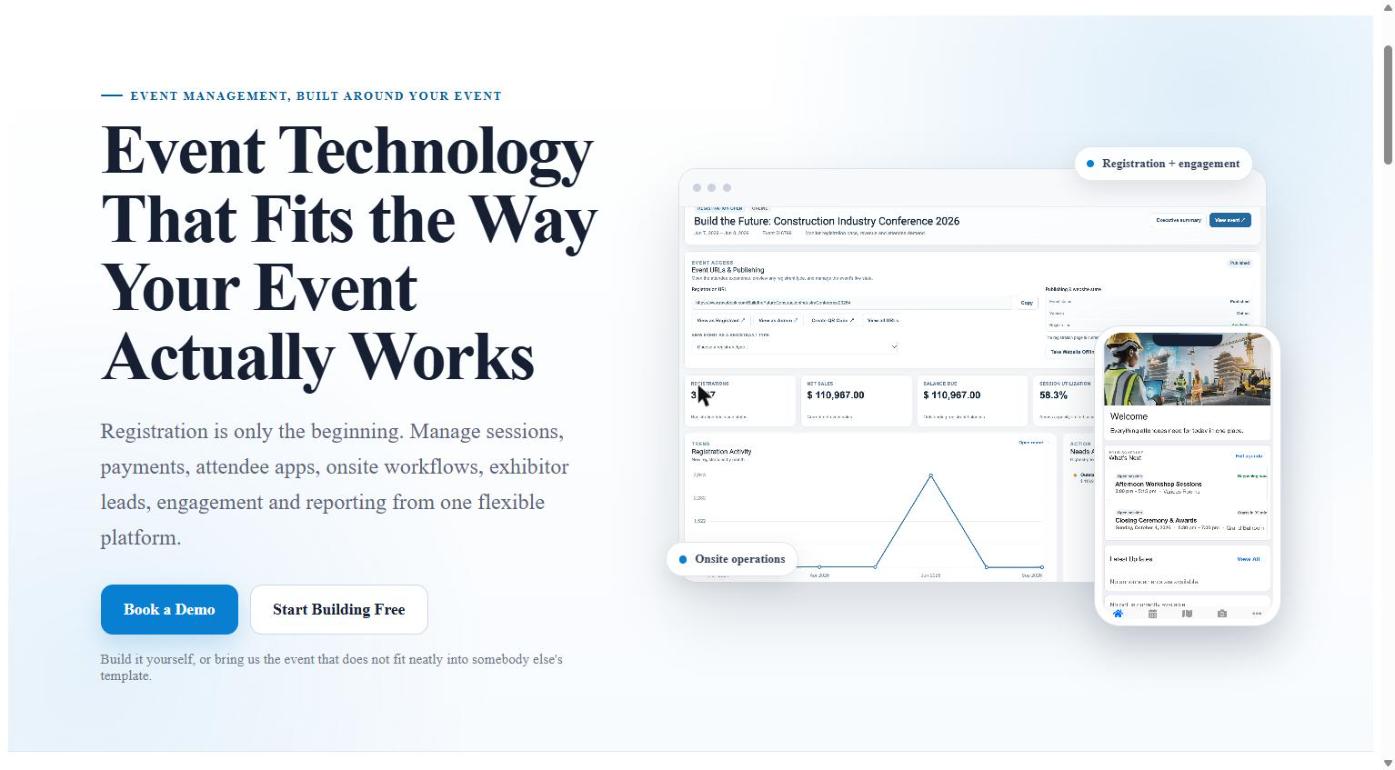
An event design document is enough to start. Our hands-on implementation support is there when your event needs it.
FAQ
What is attendee networking technology?
It is the software that helps attendees find, contact and meet each other at an event. Typical pieces include a mobile app with messaging and agendas, meeting scheduling, QR contact exchange and engagement games. The best versions share data with registration and reporting.
Does networking technology work for virtual events too?
Yes, but it needs more structure. A PNAS Nexus study found lower connecting efficiency at virtual conferences than in-person ones in its sample. Scheduled meetings, group chats and moderated breakouts give remote attendees clear ways to connect.
How should I use attendee messaging?
Decide who can message whom, keep organizer messages short and time-sensitive, and use SMS reminders for last-minute updates. Review message and meeting activity afterward as one engagement signal.
How do I know if networking worked?
Look at connection requests, messages, meeting attendance and post-event survey results, as described in this event-technology guide. For trade shows, add booth scans and giveaway participation.
Can small teams and nonprofits afford this?
rsvpBOOK pricing is per registration, and nonprofits and government organizations get discounted rates. You can add modules as your event needs them.
Ready to see it working? Book a demo or start building an event free.
Sources
- Mobile Event App Services, UT Conferences & Events
- Conference Networking Technologies for Attendee Engagement
- Face-to-face or face-to-screen: A quantitative comparison, PNAS Nexus
- 7 Best Project Management Tools for Event Planners
Recommended
- Online Event Registration: 7 Tools for a Better Attendee Experience
- Lead Retrieval Software for Trade Shows & Exhibitors
Planning an event that doesn’t fit neatly into somebody else’s template? See how rsvpBOOK handles registration, onsite check-in, lead retrieval and engagement in one platform. Book a demo: https://www.rsvpbook.com/book-a-demo
