Event lead follow-up works when every captured contact has an owner, a priority and a first message within two days of the show. Most programs fail before the first email: records sit in a spreadsheet, nobody knows who is hot, and the booth conversation is forgotten by the time someone writes. The fix is a short routine you set up before the event, using lead data that was captured cleanly at the booth or the registration desk. rsvpBOOK has supported event organizers since 2004, and the routine below is the one we would hand to any planner, exhibitor or recruiter.
TL;DR
- Clean and load every record within 24 hours of show close, and give each lead a named owner and a due date.
- Rank leads by real engagement and account fit, not by how many badges were scanned.
- Make first contact within 24 to 48 hours, then plan two or three more touches over the first two weeks.
- Reference the actual conversation in every message, and ask for one small next step.
- Track per-event results (reply rate, meetings booked, pipeline) so you know whether to return next year.
Table of Contents
- Why the first week decides the outcome
- Step 1: Capture data you can actually use
- Step 2: Clean and load records within 24 hours
- Step 3: Score and tier your leads
- Step 4: Assign every lead a named owner
- Step 5: Set your timing and cadence
- Step 6: Write a message worth answering
- Follow-up at career fairs
- Know the US outreach rules before you automate
- Track what converts
- Where the data comes from: one record per attendee
- Put the capture side in place before your next event
- FAQ
- Sources
Why the first week decides the outcome
A trade show can generate hundreds of contacts in three days. What happens next is where the budget is won or lost.
A 2019 presentation from the NASSD, citing the 2014 InsideSales.com Lead Response Report and a 2015 EXHIBITOR Magazine survey, reports that 75% of trade show leads are lost because only 25% are contacted after the show. The same source says 35 to 50% of sales go to the exhibitor that responds first. Treat those as directional, not as a promise, but the lesson holds: speed and ownership matter more than clever copy.
The practical takeaway is simple. Decide who follows up, how fast, and with what, before the first booth scan.
Step 1: Capture data you can actually use
Follow-up quality is capped by capture quality. A name and a badge scan tell you very little. Before the event, decide the fields you need for each contact: name, role, company, work email, best phone number, product interest, and a short note on the conversation. That is the list Intelemark recommends collecting on site.
If you run the event, the registration form is your first capture point. Custom questions and registrant types in rsvpBOOK let you ask attendees about interests and buying role up front, so your exhibitors and sales team start with context. Our help center explains how to capture registrant information in the registration setup.
If you exhibit, lead retrieval turns badge scans into a lead list for your team, with exhibitor and organizer options for trade shows. Booth giveaways add a second capture moment: an Instant Prize Wheel or a live Winner Drawing gives visitors a reason to stop, and every spin or entry is a booth visit you can follow up on.
Step 2: Clean and load records within 24 hours
Raw event data is messy. Duplicates, competitors, partners, personal email addresses and half-filled records all waste a sales rep’s first day.
EXHIBITOR Online’s report on a Nutanix program describes scrubbing event records within 24 hours of show close: removing duplicates, competitors, partners, records with insufficient information and personal email addresses before anything reaches the CRM. It is dull work, and it protects your reps’ time.
A quick cleanup checklist:
- Merge duplicates (the same person scanned at two booth visits or two sessions).
- Remove competitors, vendors and your own staff.
- Flag records with no usable email or phone.
- Tag every record with the event name, so you can measure it later.
- Load the clean list into your CRM or outreach tool the same day.
Tagging matters more than it sounds. Without per-event tags you cannot tell whether a show deserves a repeat booking. Sendspark’s guide makes the same point: tag each lead with its event and review the metrics about 30 days later.
Step 3: Score and tier your leads
Not every lead deserves the same response. A person who asked for a demo and a person who took a pen are different contacts.
Two approaches are worth borrowing.
Rank by engagement. In the Nutanix example, people who attended multiple sessions and demos were contacted ahead of people who saw only one presentation. An executive briefing outranked a theater talk, and demos raised priority. The same report is on EXHIBITOR Online.
Grade leads A to D. An EXHIBITOR Online case on EquiFirst qualified records by sales potential and purchasing authority, deduplicated them, then graded leads A, B, C or D. Reps called A, B and C leads, and D leads were contacted only if they reached out first.
A simple three-tier version works for most teams:
| Tier | Signal | First contact | Who owns it |
|---|---|---|---|
| Hot | Asked for a demo, quote or meeting; clear need and budget authority | Within 24 hours, by phone or personal email | Sales rep or account executive |
| Warm | Good conversation, right company and role, no stated timeline | Within 48 hours, personal email | Sales development or marketing |
| Cool | Scanned or entered a drawing, little conversation | Within a week, automated email | Marketing nurture |
One caution from a guide on converting event leads into pipeline: an event contact is a different buying signal from a website inquiry. Someone at a booth may be browsing or comparing vendors. Score event leads on account fit plus the quality of the engagement, not on interaction volume alone.
Step 4: Assign every lead a named owner
A lead assigned to “sales” is assigned to nobody. Intelemark advises handing each lead to a specific named salesperson or marketer with a follow-up due date, and tracking four checkpoints: entered, categorized, assigned, first contact sent.
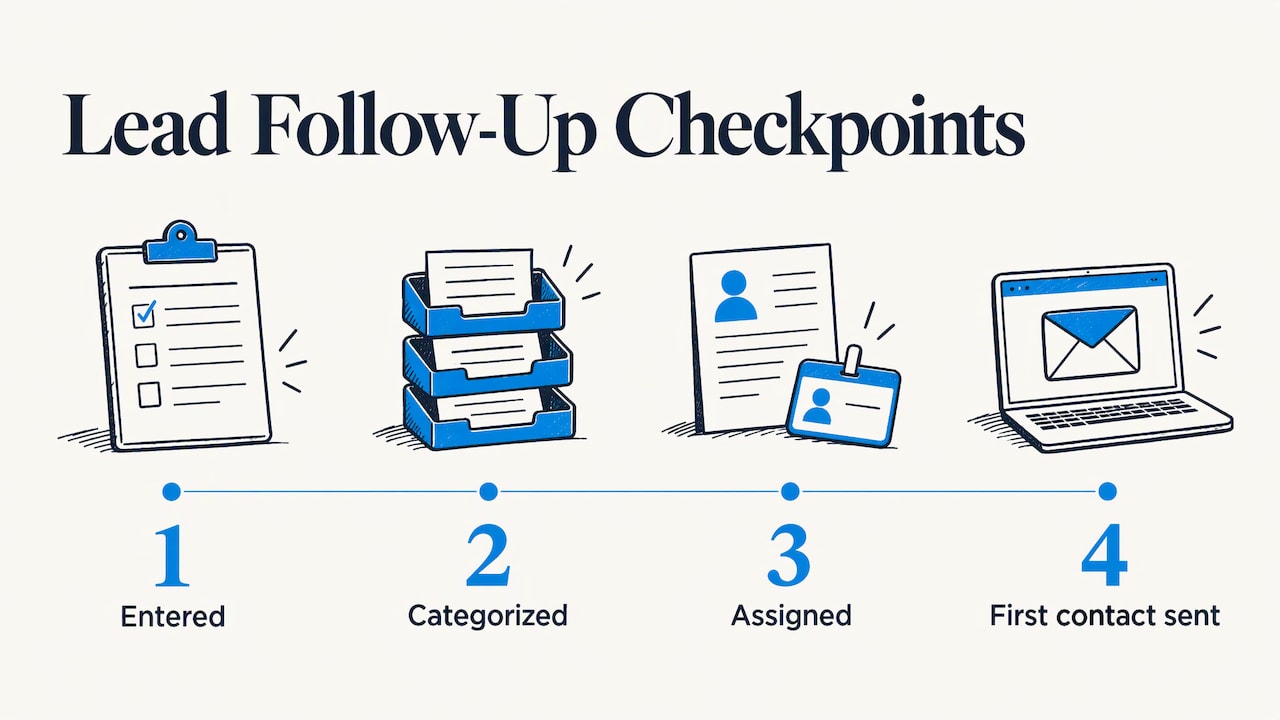
Put those four checkpoints in a shared sheet or your CRM view and review them daily in the first week. If a lead has been “assigned” for 48 hours with no contact logged, someone should know about it.
For organizers, there is a related job. Exhibitors judge a show partly by how easily they can get their leads out of it. Giving every exhibitor a lead list quickly, in a usable format, helps them follow up while the show is still fresh and makes them more likely to rebook.
Step 5: Set your timing and cadence
The common advice is consistent across sources. Intelemark says leads followed up within 24 to 48 hours are roughly 60% more likely to convert than those left for a week, and suggests a second, value-heavy touch about seven days later with a case study or a mini-demo invitation. Postal’s guide recommends first contact within 24 to 48 hours and two to three touchpoints over the first two weeks.
A workable schedule:
- Day 0 to 1: Clean the list, assign owners, send hot-lead messages.
- Day 2: Warm-lead emails go out. Cool leads receive a short thank-you.
- Day 7: Second touch with something useful: a case study, a recording of a session, a short demo invitation.
- Day 14: Third touch for leads that have not replied. Change the channel: if you emailed, try a call or a LinkedIn note.
- Day 21 to 30: Move non-responders into longer-term nurture. For ideas on sequencing, see these lead nurturing strategies.
There is no universal number of touches. Tier 1 leads can justify more attention. A cool lead needs a few automated messages, then a quiet exit into regular marketing.
Step 6: Write a message worth answering
A good follow-up message does four things in a few lines: it names where you met, references something specific from the conversation, offers one useful thing, and asks for one small next step.
Example for a warm lead:
Subject: Your question about group registration at the Chicago show
Hi Priya, it was good talking at our booth Tuesday. You mentioned managing check-in for about 800 attendees across three sessions. I’ve attached a one-page overview of how teams handle that. Would a 20-minute call Thursday or Friday work to walk through your setup?
That is the whole message. Notice what is missing: no company history, no feature list, no “just checking in.”
How to ask for a meeting
Make the request specific and small. Offer two time windows, state the length, and say what you will cover. “Do you have time to connect?” gives the reader work to do. “Thursday at 10 or Friday at 2, 20 minutes, to look at your session setup” is easy to accept.
Match the channel to the lead
Hot leads get a call or a personal email. Warm leads get email. Cool leads get automation. Some teams add video: Pure Exhibits reports in its own test that personalized 90-second video emails drew a 34% reply rate, against 11% for standard email and 9% for LinkedIn. It is one company’s result, but it is a cheap thing to try on your highest-value leads.
Follow-up at career fairs
Recruiters have a different clock. Candidates are applying to several employers at once, and the first employer to reach out often gets the conversation. The same routine applies, with a candidate focus:
- Capture the candidate’s name, school or current employer, role of interest and graduation or availability date.
- Tier by fit: strong match, possible match, general interest.
- Send strong matches a personal message within a day or two with a clear next step, such as an interview slot or an application link.
- Use booth traffic data to see which roles and conversations drew the most interest.
A prize wheel or drawing at a recruiting booth gives candidates a reason to stop, which helps booth traffic and the number of candidates you can follow up with.
Know the US outreach rules before you automate
Bulk email, calls and texts to event contacts fall under US rules, and they have shifted recently. Always include a working unsubscribe in marketing email, and keep records of how each contact joined your list.
For calls and texts, the picture has been changing. A status table from Victory Sales Agency (October 2026) reports that the FCC’s one-to-one consent rule was vacated by the 11th Circuit in January 2025, that prior express written consent remains required for autodialed or prerecorded marketing calls and texts, and that since April 11, 2025 consent can be revoked by any reasonable method and must be honored within 10 business days. It also notes a further FCC order adopted on September 30, 2026. Have your counsel confirm the current rules before launching a text or autodial campaign, since the details are still moving.
When you collect phone numbers at registration or on the booth, ask for text consent in plain words. That gives your follow-up team a clean record of who agreed to what.
Track what converts
Follow-up is only improvable if you measure it. Forrester analyst Julian Archer advises measuring lead quality and segmenting leads by lead-management stage rather than relying on total lead counts.
A small dashboard is enough. Pro Equipment Marketing suggests tracking:
- 48-hour follow-up completion
- Reply rates to the first and second emails
- Meetings or demos booked per event
- Opportunities and revenue attributed to each show over 6 to 18 months
- Cost per lead and ROI by show
The EquiFirst example also tracked each lead’s assigned salesperson and actions taken, and used sales conversions to inform how leads were distributed. Results were reported within a week of each show.
On the organizer side, registration, check-in and session attendance data belong in the same picture. Our guide to event data analytics covers what to track and how to use it.
Where the data comes from: one record per attendee
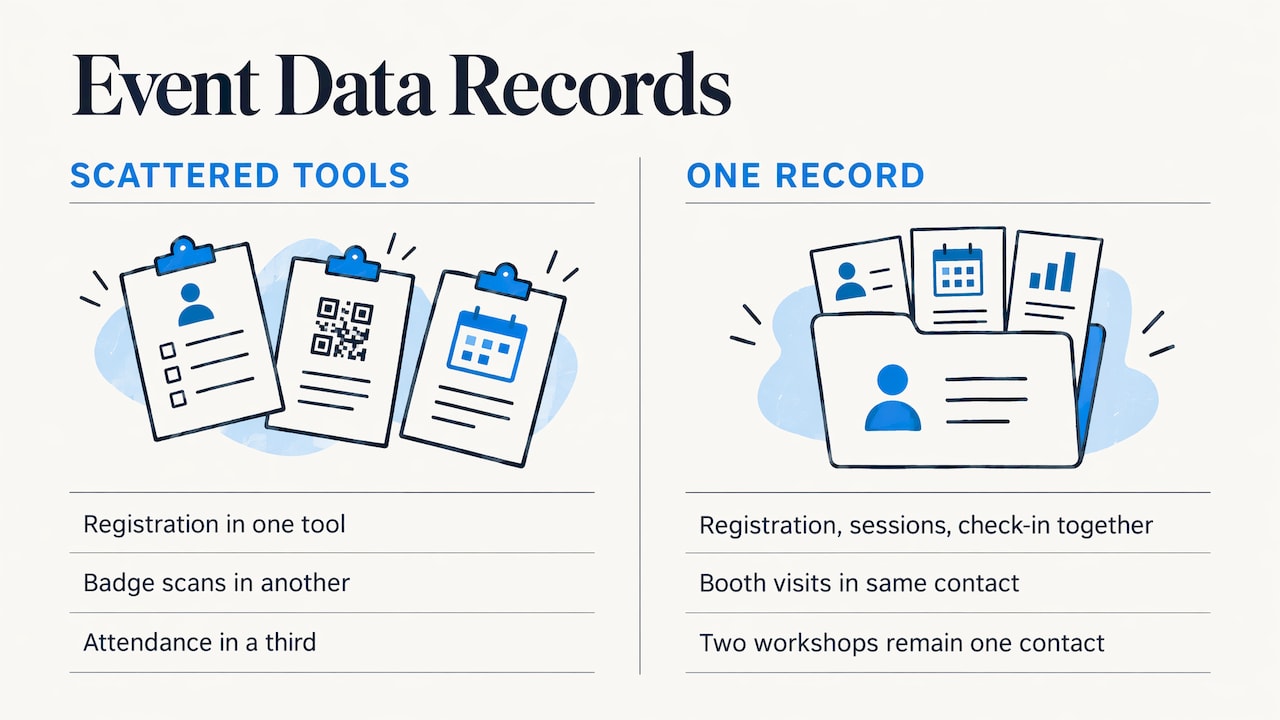
Most follow-up trouble starts with data scattered across tools: registration in one, badge scans in another, session attendance in a third. rsvpBOOK keeps registration, payments, sessions, onsite operations, exhibitor programs, engagement and reporting in one record. That means the person who attended two workshops and stopped at a booth is one contact, not three rows to reconcile.
Onsite, QR check-in runs free on any smartphone, and Kiosk+ handles self check-in. Custom name badges are available too. Badge printing and check-in kiosk hardware are optional add-on rentals. Custom reports and automated alerts then help you see what happened across the event.
Perspective
We built rsvpBOOK around one idea: an event is one story, and the data should read like one. When registration, sessions, check-in, booth visits and prize drawings live in one record, follow-up stops being a clean-up project and becomes the next step in the same workflow.
Planners tell us the same thing in different words: they do not want enterprise complexity, and they do not want a patchwork of tools either. That is why we offer flexible configuration for complex events, self-service setup or hands-on implementation support, and per-registration pricing, with discounted rates for nonprofits and government.
For trade shows, we focus on two things. Lead retrieval gives exhibitors and organizers a clear list of who stopped by. Booth giveaways, an Instant Prize Wheel or a live Winner Drawing, give visitors a reason to stop in the first place. More visitors who stop means more qualified conversations to follow up.
The follow-up routine is yours to run. Our job is to hand you the data in good shape on day one.
Droshawn
Put the capture side in place before your next event
If your next show or career fair is on the calendar, the capture side is the part you can fix now. Lead retrieval gives exhibitors and organizers a structured way to collect booth contacts. Event registration builds the branded site, custom questions and registrant types that feed your follow-up list. If you only need a booth draw, standalone booth giveaway tools start at $99 per event, and you can find the details on the pricing page.
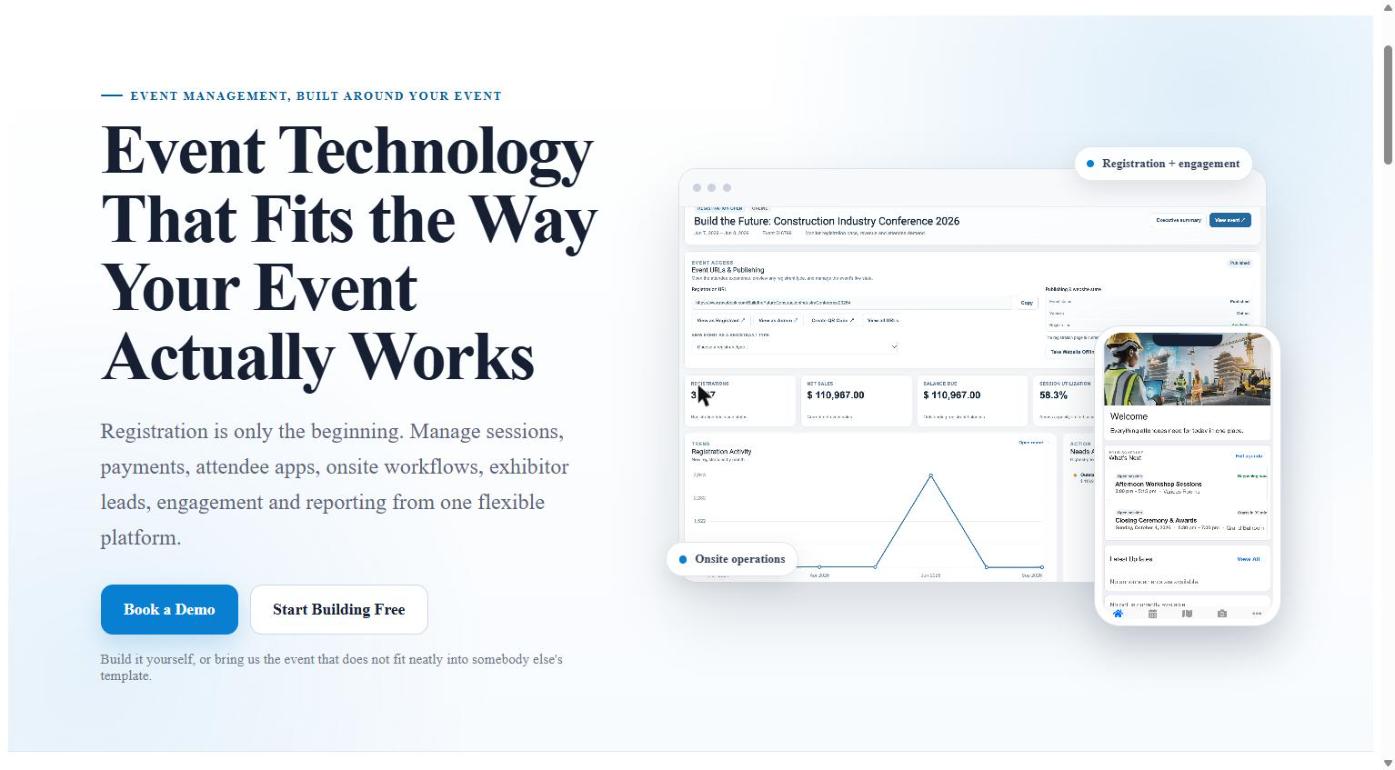
rsvpBOOK pricing for event management is per registration, with discounted rates for nonprofits and government. Our team offers hands-on implementation support when an event needs it. You can see everything in the feature overview.
FAQ
How soon should I follow up after an event?
Aim for first contact within 24 to 48 hours, sooner for hot leads who asked for a demo or a quote. Clean and assign the records within the first 24 hours so nothing waits. A second touch about a week later, with something useful attached, keeps the conversation moving.
How many times should I follow up with an event lead?
Two to three touches over the first two weeks is a common pattern. High-priority leads can justify five or more, while cool leads usually get a few automated messages before moving into general nurture. Vary the channel if the first message goes unanswered.
What should a trade show follow-up email say?
Name the event and where you met, reference one specific thing the lead said, offer one useful resource, and ask for a single next step with proposed times. Keep it short enough to read on a phone. Avoid generic lines like “just checking in.”
How do I prioritize leads when I have hundreds?
Sort by engagement and fit. Leads who asked for a demo, attended several sessions, or hold buying authority at a target account go first. Everyone else moves into marketing sequences. Name one owner for each lead and set a due date.
Sources
- NASSD 2019 presentation on trade show lead response
- EXHIBITOR Online: The Power of Measurement
- EXHIBITOR Online: The Five-Point Tune Up
- Intelemark: How to qualify, prioritize and follow up trade show leads
- Sendspark: Trade show follow-up
- All in Motion: How to convert event leads into pipeline
- Postal: The ultimate guide to post-trade show follow-ups
- Pure Exhibits: Post-show follow-up process
- Victory Sales Agency: TCPA rules in 2026
- Forrester: Measuring event success
- Pro Equipment Marketing: Following up on trade show leads
- Lead nurturing strategies
Ready to capture better event leads? Book a demo or start building an event free.
Recommended
- What to Do With Trade Show Leads After the Show
- Event Marketing Strategies That Fill Seats and Capture Leads
- Lead Retrieval for Event Organizers: Packages & Control
- Trade Show Lead Generation: A Practical Playbook for Exhibitors
Planning an event that doesn’t fit neatly into somebody else’s template? See how rsvpBOOK handles registration, onsite check-in, lead retrieval and engagement in one platform. Book a demo: https://www.rsvpbook.com/book-a-demo
