Event payment processing is the chain of steps that takes an attendee’s card or wallet payment and delivers the money to the organizer’s account, with a record attached to every registration. A sound setup accepts the payment methods attendees expect, keeps card data out of your own systems, ties each payment to a registrant, and makes reconciliation after the event a matter of reading a report rather than rebuilding a spreadsheet.
This guide walks through the full path: how a payment moves, what to accept, how to structure deposits and payment plans, how to handle refunds and failed payments, and what US organizers should document for tax purposes.
TL;DR
- A payment passes from the attendee through a gateway and processor to the organizer’s account, then settles. Each step leaves data you will need later.
- Accept cards and digital wallets at minimum, and match the methods to the audience: corporate buyers, association members, donors or walk-up guests.
- Tie every payment to a registration record. Deposits, installments, group and table payments and refunds then stay traceable.
- Card data security remains the organizer’s responsibility even when a provider handles the data, so document how your setup works.
- US organizers should keep clean payment records for Form 1099-K and, for nonprofits, Schedule G reporting.
Table of Contents
- How an event payment moves from attendee to organizer
- What to look for in an event payment setup
- Which payment methods to accept
- Collecting payment during registration
- Event deposit payments and payment plans
- Managing ticket payments
- Security and compliance for card payments
- Refunds, failed payments and chargebacks
- Payouts and reconciliation
- Tax records for US organizers
- Our perspective
- Put payments inside your registration
- Frequently asked questions
- Sources
How an event payment moves from attendee to organizer
When an attendee pays for a registration, the registration site sends payment details to a gateway. The gateway passes the information to a processor, which asks the card network and the cardholder’s bank to approve the charge. If the charge is approved, the processor moves funds from the attendee’s payment method to the organizer’s account. Stripe’s overview of event payment processing describes the same flow in practical terms for ticket sales and merchandise.
Three stages matter to an organizer:
- Authorization. The card details are provided to the merchant, which uses them to authorize the transaction, as the Consumer Financial Protection Bureau explains. The attendee sees an approval or a decline immediately.
- Clearing and settlement. Transactions are aggregated, funds are transferred between the banks involved, and the merchant’s account is credited. Visa describes settlement as the final step in this sequence.
- Reconciliation. After the event, money collected online, at the door and from vendors has to be matched to what you expected to receive, and any discrepancies resolved.
The first two stages happen automatically. The third is where organizers lose time, and it is the stage that depends most on how payments were recorded at the start.
What to look for in an event payment setup
A processor that works for a retail counter does not always suit an event. Events concentrate volume into short windows, mix registrant types and price levels, and generate refunds and transfers that need an explanation. Evaluate a setup against these criteria:
| Criterion | What to confirm |
|---|---|
| Link to the registration record | Each payment is stored with the registrant, the registration type and the items purchased |
| Payment methods | Cards, digital wallets and any invoice or check option your audience uses |
| Pricing logic | Early rates, member rates, discount codes, group and table pricing, add-ons |
| Payout timing | When funds reach your bank, and whether that timing fits your vendor deadlines |
| Refund and adjustment handling | Full and partial refunds, transfers between registrants, cancellations |
| Reporting | Exportable detail by registrant, payment date, item and discount |
| Security | Card data handled by a compliant provider, with your own implementation documented |
| Capacity | Tested for a registration surge on launch day and a check-in rush on event day |
The first row is the one that separates event software from a generic checkout. When payments, registrations, sessions and check-in sit in one record, a finance question such as “who paid for the workshop and was it refunded?” has a single answer.
Which payment methods to accept
Organizers can accept credit and debit cards, digital wallets such as Apple Pay, Google Pay and Samsung Pay, QR-code and account-to-account payments, and cash, according to the payment processing overview cited above. Not every method belongs on every event. Choose by audience:
- Corporate events. Cards cover most registrations. Many corporate attendees also need an invoice or a purchase order route, so decide in advance how offline payments are recorded and marked paid.
- Association and conference registrations. Member and nonmember rates, group registrations and multiple add-ons make the pricing structure the main design task. The payment method list can stay short.
- Nonprofit events and galas. Table purchases, sponsorships and donations often sit beside ticket sales. Keep each category separate in the record so revenue can be reported correctly later.
- Trainings and workshops. Per-session pricing, credits and capacity limits mean payment should be confirmed before a seat is held.
- Walk-up and onsite sales. Mobile-friendly checkout and wallet payments shorten lines. Plan how those sales land in the same record as advance registrations.
Collecting payment during registration
The cleanest place to collect payment is inside registration itself. The attendee chooses a registrant type, answers the custom questions, selects sessions or add-ons, sees the total and pays in one flow. The organizer gets a complete record without matching a payment export to a registration list.
A few design choices make this work:
- Show the full price before the payment step. Registration type, add-ons, discounts and any fees should appear as a line-item summary.
- Use registrant types to carry pricing. Member, nonmember, student, exhibitor and speaker rates belong in the registration setup, not in manual price edits afterward.
- Handle groups deliberately. A company buying ten seats or a table needs one payer and several named attendees. Decide whether the buyer pays once and assigns names later.
- Send confirmations automatically. A receipt and registration confirmation reduce “did my payment go through?” emails.
Our event payment management is built around this approach, and it works together with event registration forms and the registration website so the payment step is part of the same build rather than a bolt-on.
Event deposit payments and payment plans
Deposits and installment plans suit events where the full price is large or the commitment begins long before the event: multiday conferences, destination programs, multi-session training series, and group blocks. They improve the registrant’s ability to commit and give the organizer an early signal of attendance. They also add schedule logic that you have to manage.
Before offering either, settle these points in writing:
- What the deposit secures. A seat, a room in a block, a table, or a place in a workshop with limited capacity.
- Due dates. A fixed schedule is easier to explain and to track than a flexible one.
- Refund terms. State what is refundable and until when, and whether the deposit is treated differently from later installments.
- What happens on a missed installment. Decide whether a reminder, a grace period or a release of the seat follows, and publish it on the registration page.
- Who can see the balance. Registrants should know what they owe. Organizers should see outstanding balances in a report.
Automated reminders carry much of the load here. Automatic event alerts can notify organizers and registrants about registration activity, so a balance due does not depend on someone remembering to check a list.
Housing deposits deserve their own track. If your event uses a hotel block, the room commitment and its timing run on a different calendar than the registration fee. Room block management keeps housing requests alongside the registration record, so a registrant’s fee status and room request can be read together.
Managing ticket payments
Ticketed events add two pressures: demand that arrives in bursts and a need to prove entry rights at the door. Treat ticket payments as part of a chain that ends at check-in.
- Create ticket types with clear names and capacities, so sales stop when a category sells out.
- Apply discount codes and early pricing inside the ticket setup, not by editing orders.
- Issue tickets that can be scanned, so a paid ticket and an admitted guest match in the same record.
- Review sales during the on-sale period, not only at the end.
Our event ticketing tools support this flow, and attendance tracking and onsite check-in uses QR scanning on any smartphone, so the door list reflects who actually paid. One customer moved more than 2,600 attendees through check-in with QR scanning.
Security and compliance for card payments
Card data is the part of event payments with the most downside if mishandled. The practical principle is to keep card numbers out of your own spreadsheets, email and systems, and to use a provider that handles them under recognized security standards.
Handing data handling to a provider does not hand over the responsibility. The PCI Security Standards Council states that there is no one-size-fits-all method for e-commerce security and that organizations must document their specific implementation, including how they interact with payment processors and handle data. Even when data handling is outsourced, the organizer remains responsible for PCI DSS compliance, as the payment processing overview also notes.
In practice:
- Never ask registrants to email card details or write them on a form.
- Limit who on your team can view payment and refund reports.
- Write down how payments flow: which site collects them, which provider processes them, who has access to reports.
- Test the system before it opens. Payment systems are commonly tested to simulate load, network problems or hardware failure before an event, per the same overview.
If you take payments in more than one place (online, at a kiosk, at the door), include each channel in your documentation.
Refunds, failed payments and chargebacks
The organizer controls refunds and failed payments through policy and process. Chargebacks, where a cardholder disputes a charge with their bank, are best prevented by clarity. Fees for refunds and disputes differ by provider and contract, so confirm them in your own agreement.
Failed payments. Declines happen for ordinary reasons: a wrong card number, a bank flag on an unfamiliar charge, an expired card. Let the registrant retry in the same session and say plainly what to do next. Do not hold a seat indefinitely for an unpaid registration. A pending status with a stated expiry keeps capacity honest.
Refunds. Publish the policy on the registration page and repeat it in the confirmation. Decide in advance how you treat full cancellations, partial cancellations, substitutions of one attendee for another, and session changes. A substitution policy alone removes many refund requests.
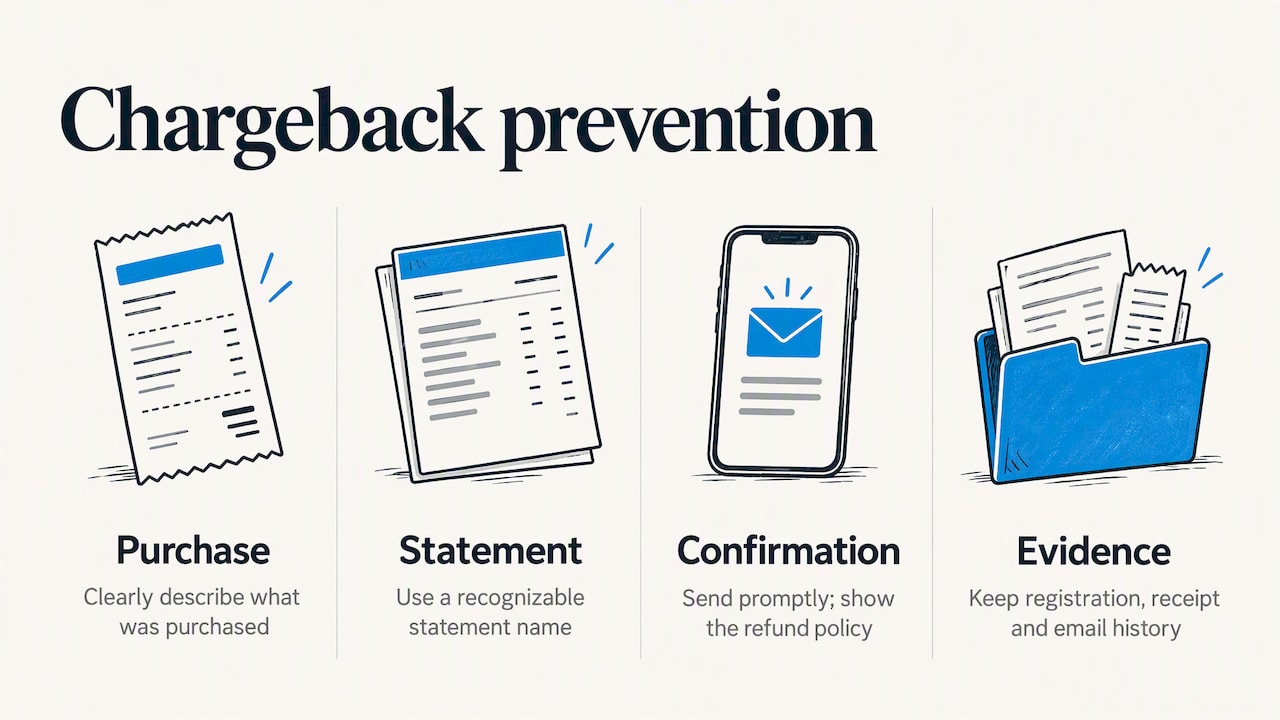
Disputes. Clear descriptions of what was purchased, a recognizable name on the statement, prompt confirmation emails and a visible refund policy all reduce disputes. If one arrives, the registration record, receipt and confirmation history are your evidence, which is another reason to keep payments tied to the registrant.
Payouts and reconciliation
After the event, funds collected across channels have to be reconciled and routed correctly, including resolving gaps between expected and actual revenue, as the processing overview points out. Payout timing is set by your provider and agreement, so check it before you commit to vendor payments that depend on event revenue.
A reconciliation routine that works:
- Export registrations with payment status, amount, discount and registrant type.
- Match the total to the deposits shown in your bank account or provider statement, allowing for refunds and processing fees.
- List unpaid and pending registrations and resolve each one.
- Separate revenue categories: registrations, sponsorships, exhibitor fees, booth sales, donations, add-ons.
- Archive the export with the final report.
Custom reports make steps 1 and 4 a matter of selecting fields rather than rebuilding data by hand, and they can be run during the registration period, not only after it.
Tax records for US organizers
Payment records matter beyond the event itself. Organizers who accept payment cards receive a Form 1099-K for gross payment amounts, and those accepting payments through apps or online marketplaces may receive one, according to the IRS Form 1099-K FAQs. The IRS notes that good records help determine what belongs on a tax return, so keep the exported payment detail for each event. Confirm your obligations with a tax professional.
Tax-exempt organizations may also need to report special event revenue, such as fundraising events, on Schedule G of Form 990, which discloses gross receipts and direct expenses. Separating ticket revenue, sponsorships and donations in the event record makes that reporting easier to prepare with your accountant.
Our perspective
Most payment problems at events are record problems. The money moves fine. What goes wrong is that the payment sits in one system, the registration in another, the session assignment in a spreadsheet, and the check-in list in a fourth place. Every question then becomes a manual match.
We built rsvpBOOK to keep registration, payments, sessions, onsite operations, exhibitor programs and reporting in one record. When a registrant pays, that payment is part of the same record that holds their registrant type, their workshop choices and their check-in status. Finance, registration and onsite teams read the same data.
We also believe the setup should fit the event, not the other way around. Some organizers want to configure everything themselves. Others want hands-on implementation support for a complex program. Pricing is per registration, with discounted rates for nonprofits and government organizations, so cost tracks the size of the event.
Our advice is to design the payment flow first: registrant types, pricing, deposits, refund terms. Build the registration site around it, and the rest follows.
Droshawn
Put payments inside your registration
If you run conferences, trainings, association meetings or trade shows, rsvpBOOK connects payment collection with event registration, ticketing, check-in and reporting in one record. Pricing is per registration, and nonprofit and government organizations have discounted rates.
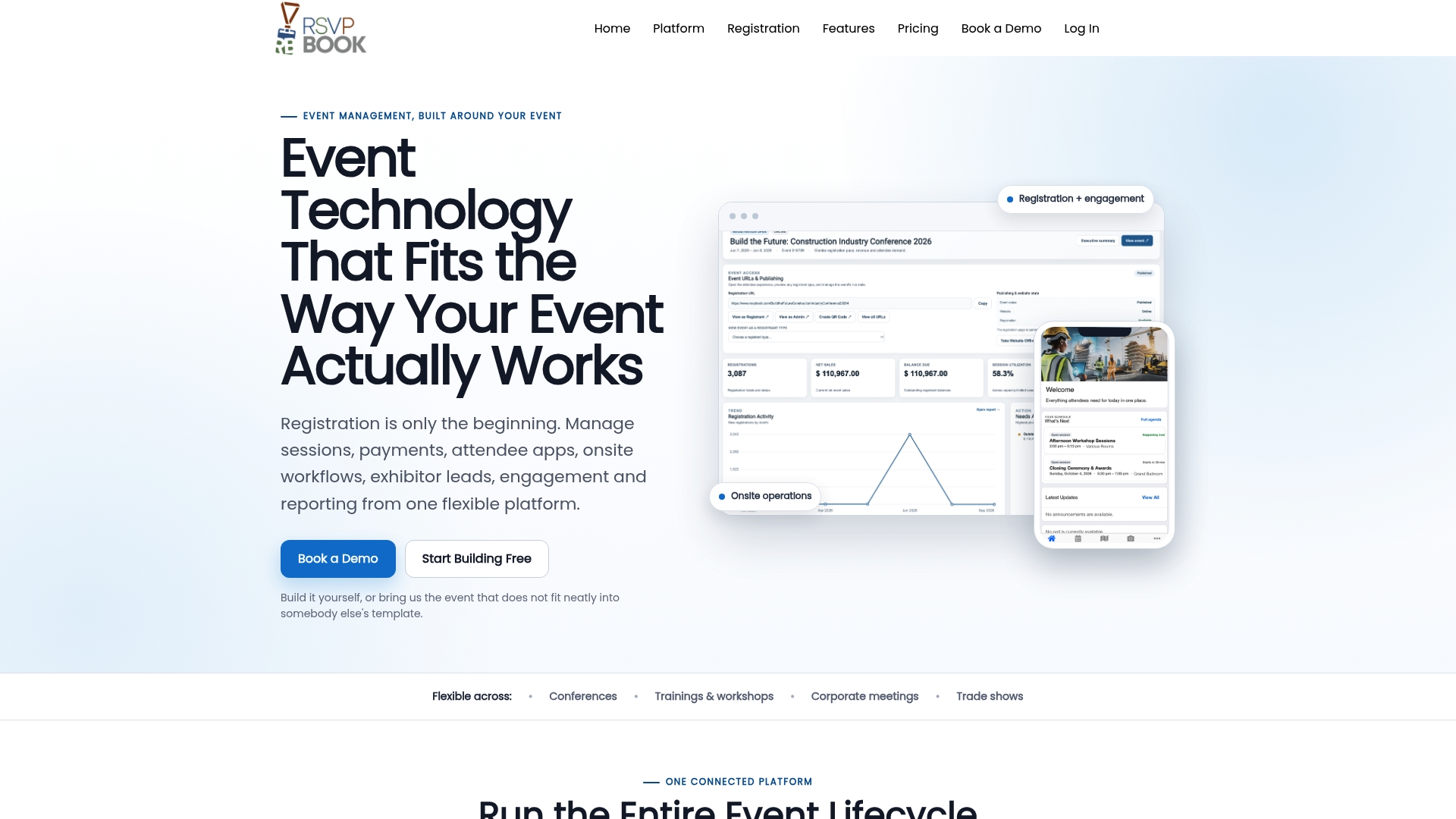
Trade show organizers can add booth giveaway tools, which start from $99 per event, along with lead retrieval and other modules. See current module pricing on the pricing page, or explore the full event management software.
Frequently asked questions
How do I manage event payments without a spreadsheet?
Collect payment inside the registration flow so every payment attaches to a registrant automatically. Then use built-in reports to see paid, pending and refunded registrations by type, date and item. A spreadsheet becomes an export, not the source of truth.
Can I accept deposits and let attendees pay the balance later?
Yes, as long as your registration and payment setup supports a staged schedule. Define what the deposit secures, the due dates for the balance and the refund terms before you publish. Automated reminders help you collect balances on time.
What payment methods should an event accept?
Cards and digital wallets such as Apple Pay and Google Pay cover most attendees. Add an invoice or check route if corporate buyers or associations are in your audience, and record those payments in the same registration record so status stays accurate.
Who is responsible for card data security at my event?
The organizer stays responsible for PCI DSS compliance even when a provider handles the card data. Use a compliant provider, keep card numbers out of email and spreadsheets, and document how payments flow through your systems.
Do I need to report event payments for taxes?
Organizers who accept cards may receive a Form 1099-K, and tax-exempt organizations may report special event revenue on Schedule G of Form 990. Keep detailed payment exports for each event and review your situation with a tax professional.
Sources
- Event payment processing overview
- Consumer Financial Protection Bureau: how card payments are authorized
- Visa: settlement in card payments
- PCI DSS E-commerce Guidelines
- IRS Form 1099-K FAQs
- IRS Schedule G (Form 990)
